MULTI-DISPLAY > DISASSEMBLY |
| 1. REMOVE DISPLAY MODULE BOARD |
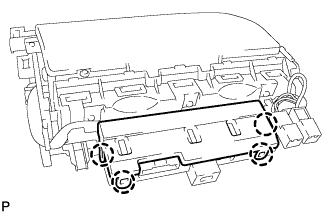 |
Disengage the 4 claws and remove the lower center instrument cover.
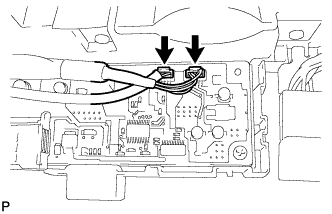 |
Disconnect the 2 connectors.
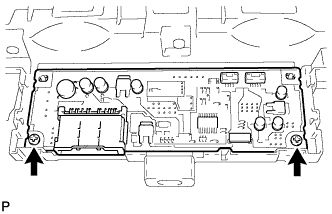 |
Remove the 2 screws and display module board.
| 2. REMOVE INSTRUMENT CLUSTER FINISH PANEL COVER |
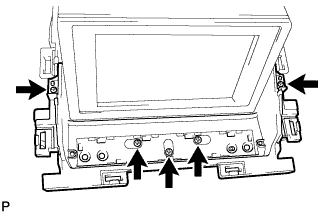 |
Remove the 5 screws and instrument cluster finish panel cover.
| 3. REMOVE SENSOR WIRE |
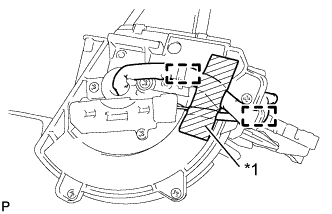 |
Peel back the tape used to secure the wire harness only enough to allow removal of the wire harness.
| *1 | Tape |
Disengage the 2 clamps.
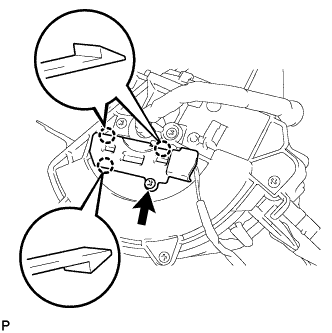 |
Remove the screw.
Disengage the 3 claws and remove the sensor wire cover.
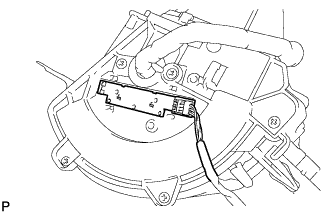 |
Remove the sensor wire.
| 4. REMOVE NO. 3 INSTRUMENT PANEL FINISH PANEL RETAINER |
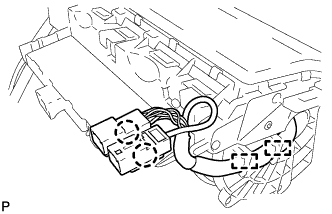 |
Disconnect the 2 claws and disengage the 2 clamps.
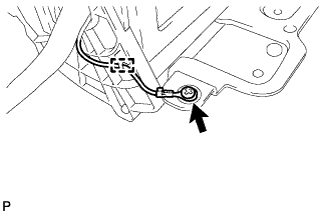 |
Remove the screw and disengage the clamp.
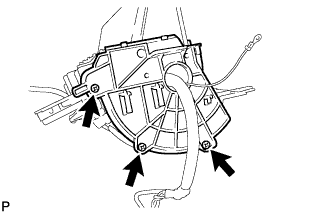 |
Remove the 3 screws and No. 3 instrument panel finish panel retainer.
| 5. REMOVE NO. 2 INSTRUMENT PANEL FINISH PANEL RETAINER |
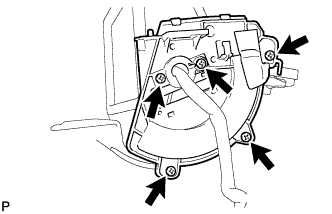 |
Remove the 5 screws, No. 2 instrument panel finish panel retainer and No. 1 instrument panel finish panel retainer.
| 6. REMOVE INSTRUMENT PANEL REGISTER CONTROL GEAR |
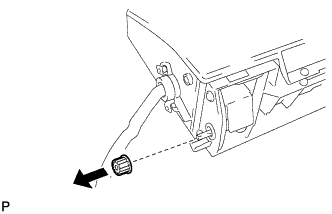 |
Remove the instrument panel register control gear.
| 7. REMOVE UPPER INSTRUMENT CLUSTER FINISH PANEL |
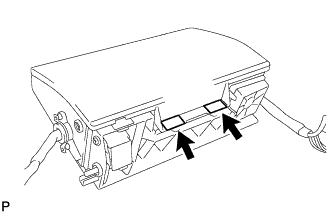 |
Remove the 2 tapes.
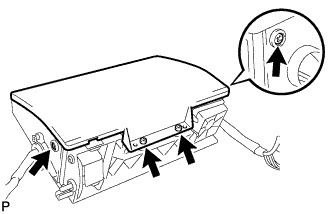 |
Remove the 4 screws.
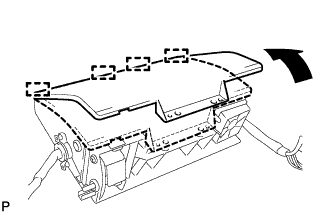 |
Disengage the 4 guides and remove the upper instrument cluster finish panel as shown in the illustration.
| 8. REMOVE MULTI-DISPLAY CONTROLLER SUB-ASSEMBLY |
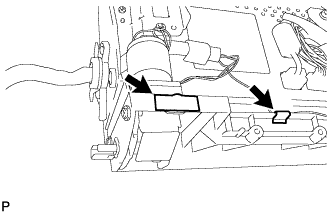 |
Remove the 2 tapes.
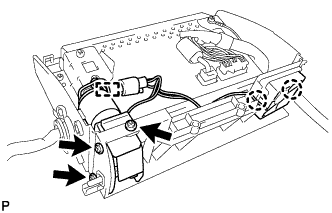 |
Disengage the 2 claws and clamp.
Remove the 3 screws and multi-display controller sub-assembly.
| 9. REMOVE MULTI-DISPLAY ASSEMBLY |
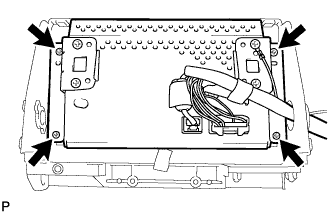 |
Remove the 4 screws and multi-display assembly.
| 10. REMOVE MULTI-MEDIA MODULE WIRE |
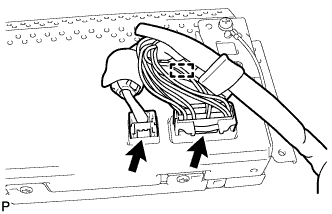 |
Disconnect the 2 connectors.
Disengage the clamp and remove the multi-media module wire.
| 11. REMOVE NO. 2 EARTH WIRE |
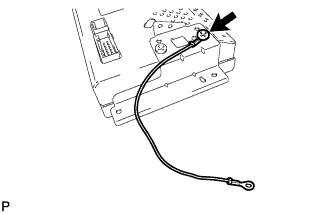 |
Remove the screw and No. 2 earth wire.
| 12. REMOVE MULTI-DISPLAY CONTROLLER BRACKET A |
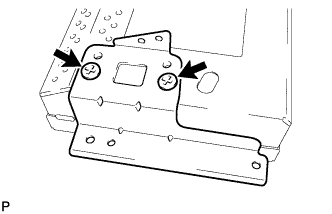 |
Remove the 2 screws and multi-display controller bracket A.
| 13. REMOVE MULTI-DISPLAY CONTROLLER BRACKET B |
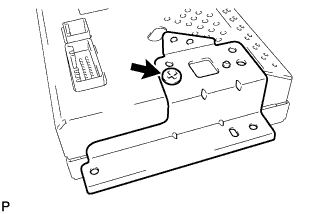 |
Remove the screw and multi-display controller bracket B.
| 14. REMOVE MULTI-DISPLAY |
