Cam Chain Auto-Tensioner Removal/Installation
Cam Chain Auto-Tensioner Removal/Installation
Removal:
| 1. | Remove the chain case cover.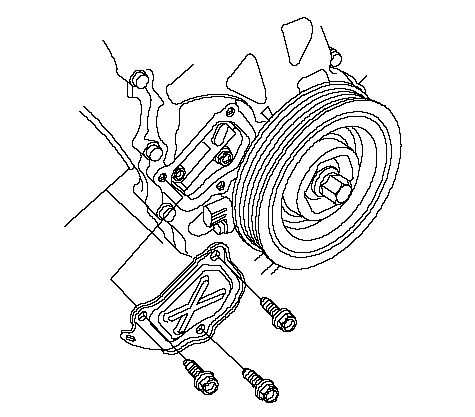 |
| 2. | Turn the crankshaft counterclockwise to compress the auto-tensioner.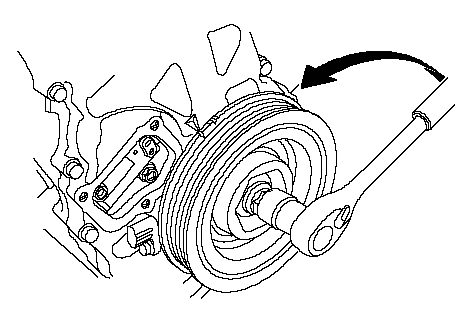 |
| 3. | Align the holes on the lock (A) and the auto-tensioner (B), then insert a 1.5 mm (0.06 in.) diameter pin (C) into the holes. Turn the crankshaft clockwise to secure the pin.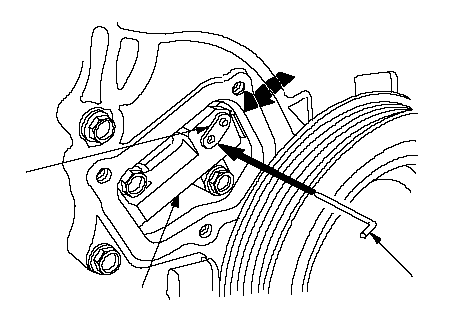 CBA CBA |
| 4. | Remove the auto-tensioner.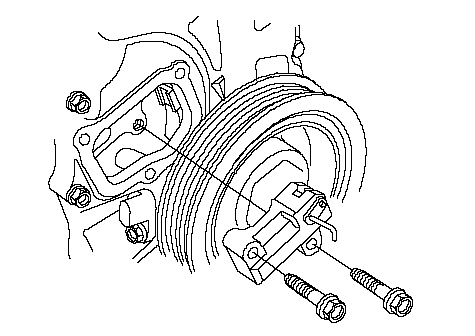 |
Installation:
| 1. | Install the auto-tensioner.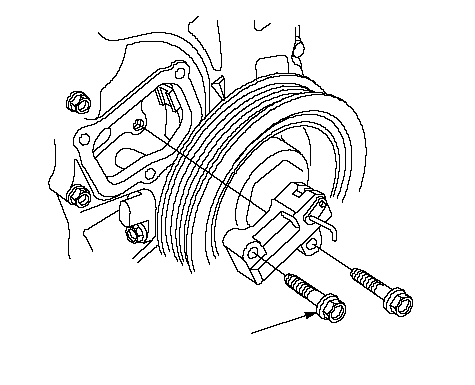 6 x 1.0 mm 6 x 1.0 mm12 N·m (1.2 kgf·m, 8.7 lbf·ft) |
| 2. | Remove the pin from the auto-tensioner.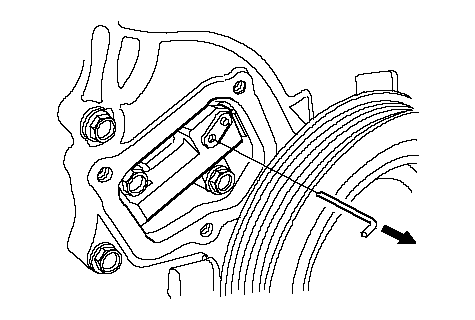 |
| 3. | Remove old liquid gasket from the chain case cover mating surfaces, bolts, and bolt holes. |
| 4. | Clean and dry the chain case cover mating surfaces. |
| 5. | Apply liquid gasket, P/N 08C70-K0234M, 08C70- K0334M or 08C70-X0331S, evenly to the chain case mating surface of the chain case cover and to the inner threads of the holes. NOTE: Do not install the parts if 4 minutes or more have elapsed since applying liquid gasket. Instead, reapply liquid gasket after removing old residue. 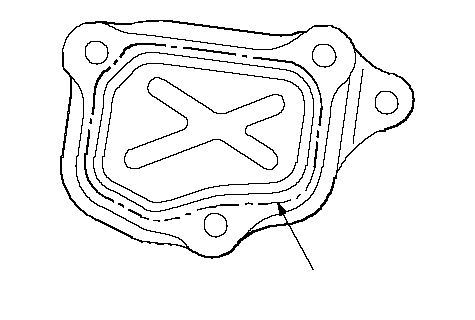 Apply liquid gasket Apply liquid gasketalong the broken line. |
| 6. | Install the chain case cover.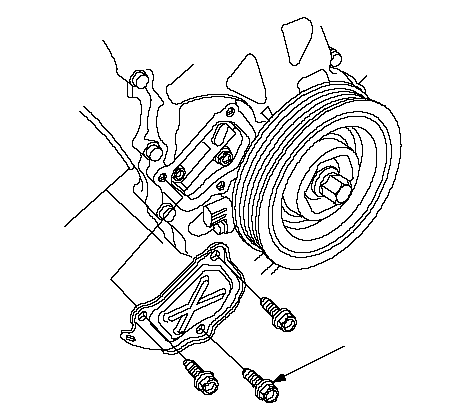 6 x 1.0 mm 6 x 1.0 mm12 N·m (1.2 kgf·m, 8.7 lbf·ft) |