Second Row Seat Cover Replacement
Second Row Seat Cover Replacement
NOTE:- Take care not to tear the seams or damage the seat covers.
- Put on gloves to protect your hands.
- Take care not to bend any cables.
Seat-back Cover
| 1. | Remove these items:
|
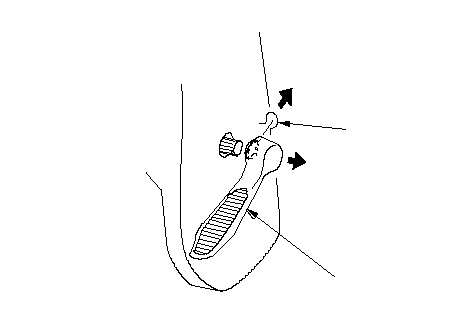
| 2. | Remove the clip (A), then remove the fold down knob (B).
 AB |
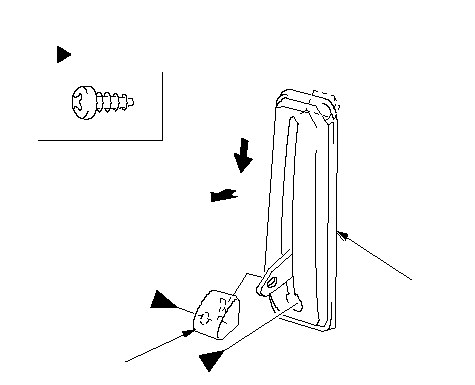
| 3. | Remove the screw (A), then remove the recline knob (B), and walk-in trim (C).
 (1)(2)AABCFastener Locations: Screw, 2A |
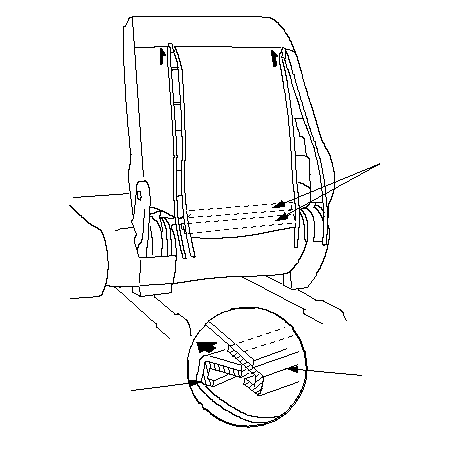
| 4. | Release the hook (A), then unzip (B) the sheat-back cover
 AAA |
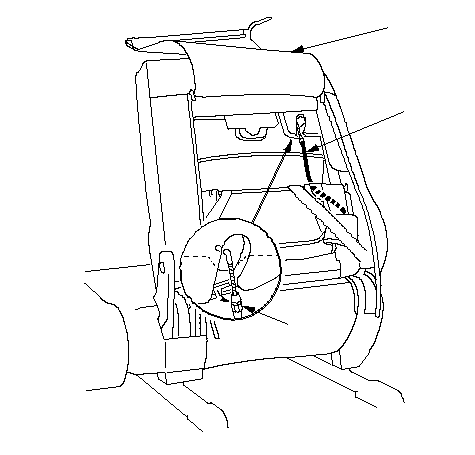
| 5. | Turn over the seat-back cover. Remove the band (B) fastening the seat-back walk-in cable (C), then disconnect the cable.
 ACC |
| 6. | Release the clips (A) from the wire frame (B) on both sides. Detach the clips (C) by pulling both sides of the seat-back cover (D) outward, remove the screws (E), then remove the center upper covers (F) from both sides. Detach the clips (G), then remove both bracket covers (H).
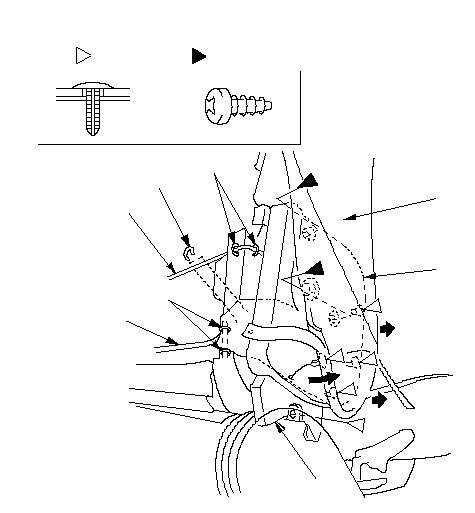 Fastener Locations: Clip, 10C, G: Screw, 4EEIABDFECCCCGHJI |
| 7. | Release the clips (I) from the wire frames (B, J), then turn back the seat-back covers on both sides. |
| 8. | Disconnect the recline cables (A) from both recline adjusters (B), then remove the bolt (C) and remove the seat-back (D). Pass the seat-back recline cable (E) through a hole in the seat-back frame.
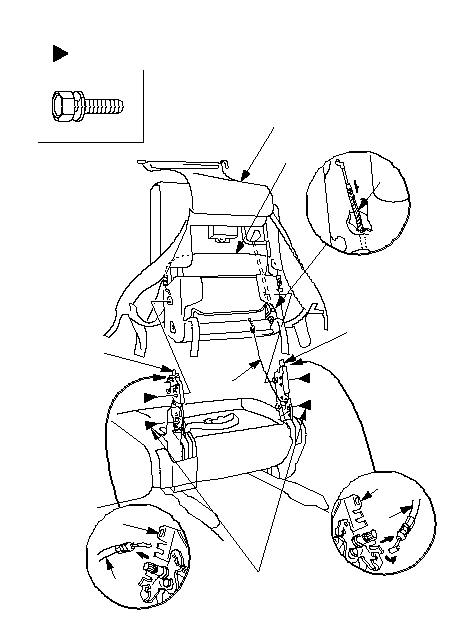 Fastener Locations: Bolt, 4CDBEACCEACCABAB10 x 1.25 mm 47 N·m(4.8 kgf·m, 35 lbf·ft) |
| 9. | Pull out the headrest guides (A, B) while pinching the end of the guides, and remove them.
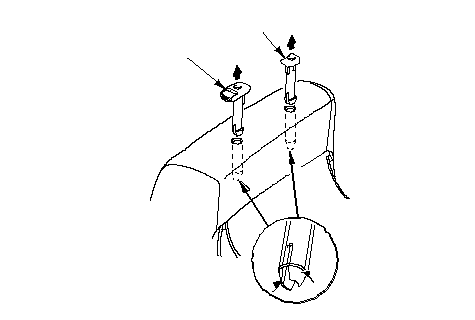 AB |
| 10. | Pull back the edge of the seat-back cover all the way around, and release the clips (A), then remove the seat-back cover (B).
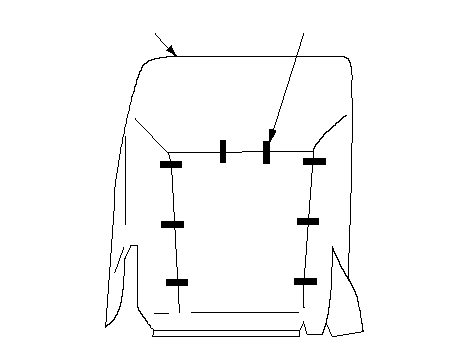 BA |
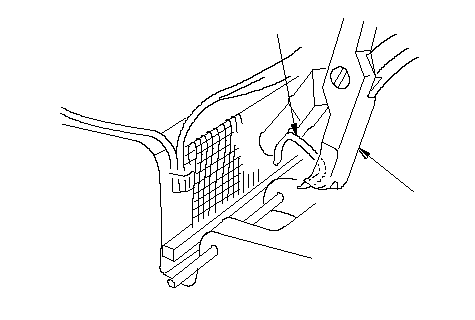
| 11. | Install the cover in the reverse order of removal, and note these items:
 AB |
Center Seat-back Cover
| 1. | Remove the center seat-back. |
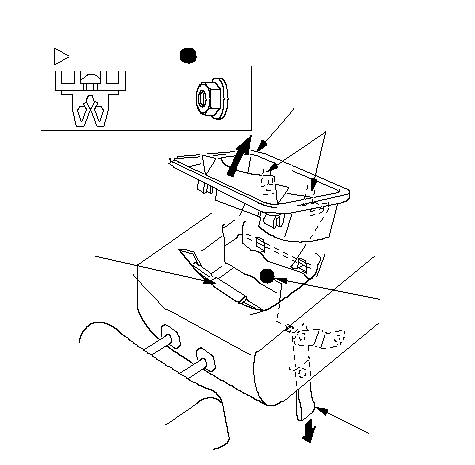
| 2. | Pry the clips (A) up, and release the hooks (B), then remove the beverage holder (C).
 Fastener LocationsA: Clip, 2E: Nut, 1ACBDFE6 x 1.0 mm 9.8 N·m (1.0 kgf·m, 7.2 lbf·ft)A |
| 3. | Release the hook (D). |
| 4. | Remove the nut (E), then pull the strap (F) out through a slot. |
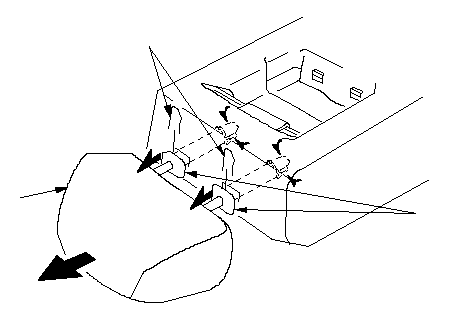
| 5. | For some models: Remove the retainers (A), then remove the pillow (B). Pull out the pillow guides (C) while pinching the end of the guides, and remove them.
 ABC |
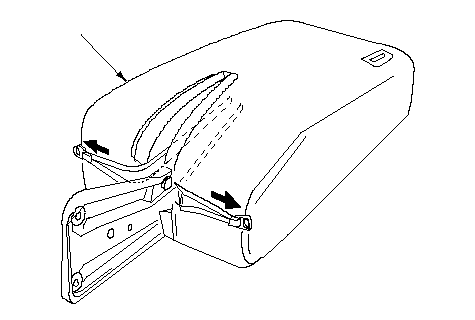
| 6. | Unzip the center seat-back cover (A), and pull back the cover all the way around, then remove it.
 A |
| 7. | Install the cover in the reverse order of removal, and to prevent wrinkles in the seat cover, stretch the material evenly over the pad. |
Seat Cushion Cover
| 1. | Remove the seat cushion cover and pad from the cushion frame. |
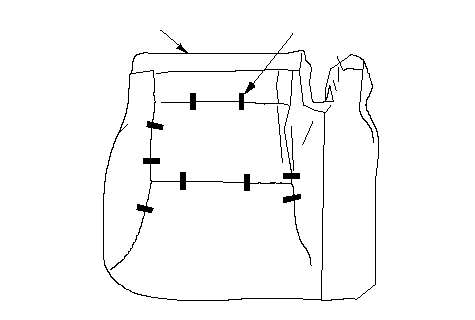
| 2. | Pull back the edge of the seat back cover (A) all the way around, and release the clips (B), then remove the seat back cover.
 AB |
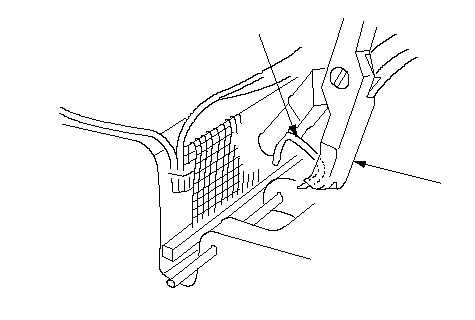
| 3. | Install the cover in the reverse order of removal, and note these items:
 AB |