Transmission Range Switch Test (5AT)
Transmission Range Switch Test
| 1. | Remove the transmission range switch harness connector (A) from the connector bracket (B), then disconnect the connector.
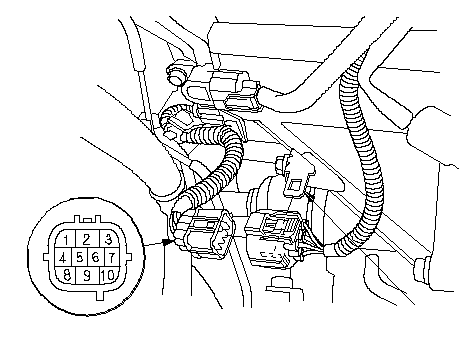 ABTerminal side of male terminals
|
| 2. | Check for continuity between terminals at the harness connector. There should be continuity between the terminals listed for each switch position.
|
| 3. | If there is no continuity between any terminal, remove the transmission range switch cover, and disconnect the connector at the switch.
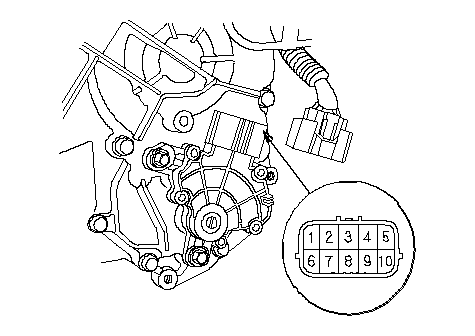
|
| 4. | Check for continuity between terminals at the switch connector. There should be continuity between the terminals listed for each switch position.
|
| 5. | If there is no continuity between any terminals, check the transmission range switch installation. if the transmission range switch installation is OK, replace the switch. If the transmission range switch continuity check was OK, replace the faulty transmission range switch harness. |