Wiper/Washer Switch Test/Replacement
Wiper/Washer Switch Test/Replacement
| 1. | Remove the dashboard lower cover. |
| 2. | Remove the steering column covers. |
| 3. | Disconnect the 14P connector (A) from the wiper/washer switch (B). LHD type and KE model: 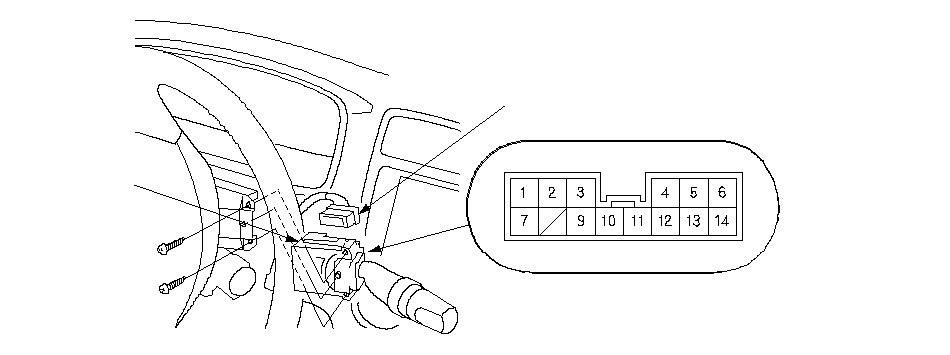 AB KU model: 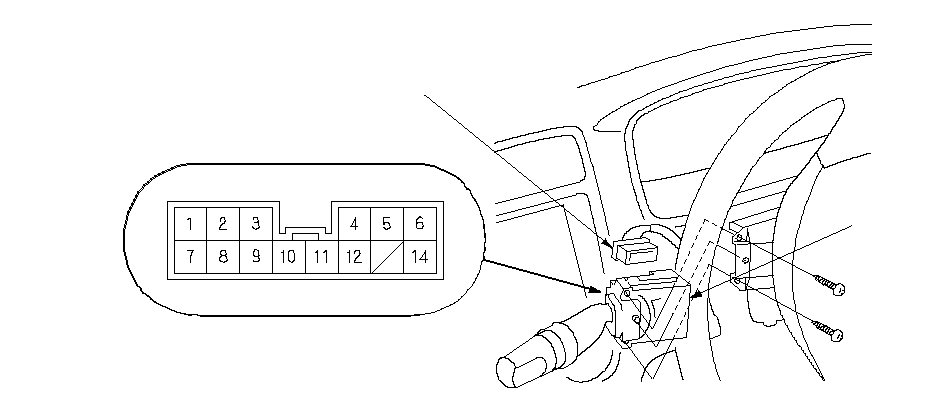 AB |
| 4. | Remove the two screws, then pull out the wiper/washer switch. |
| 5. | Inspect the connector terminals to be sure they are all making good contact.
Windshield: 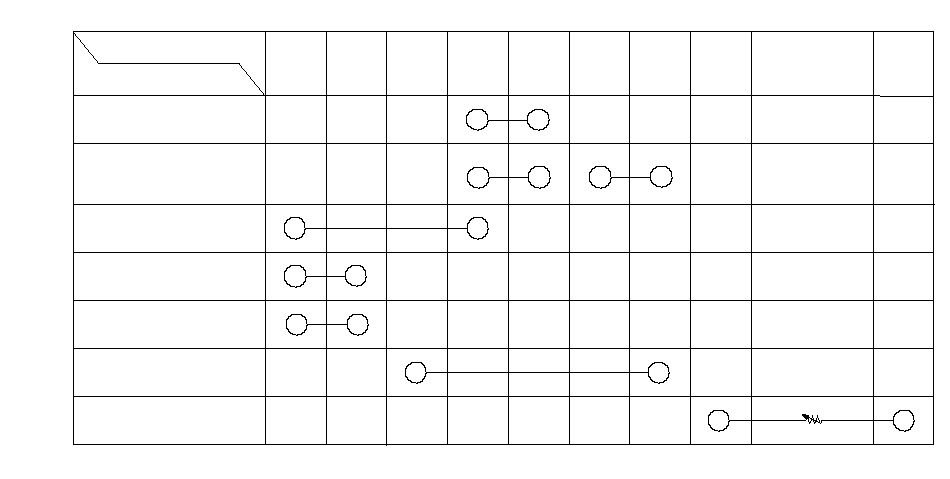 TerminalPositionOFFINTLOHIMist switch ONWasher switch ON4 [3]5 [2]6 [1]11 [10]12 [9]13 [8]14 [7]0-30 kWIntermittent dwell time controller turned9 [12]10 [11] Rear Window: 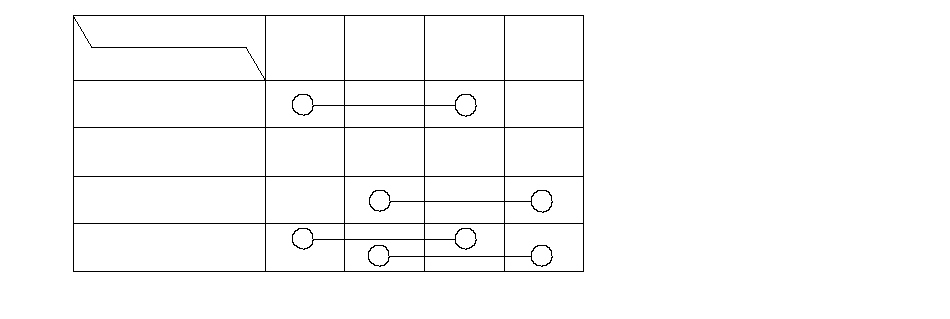 TerminalPositionOFFWiper and Washer switch ON1 [6]2 [5]3 [4]7 [14]ONWasher switch ON and wiper switch OFF[ ] : KU model |