Driver's Pocket Removal/Installation
Driver's Pocket Removal/Installation
For Some Models
NOTE:
- Put on gloves to protect your hands.
- Take care not to scratch the dashboard and related parts.
| 1. | Remove the driver's pocket (A).
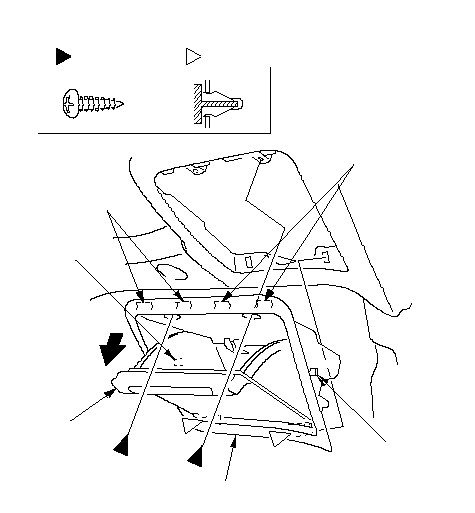 Fastener Locations: Screw, 2C: Clip, 2ECBEADDDDCE |
| 2. | Install the pocket in the reverse order of removal, and note these items:
|