AUDIO AND VISUAL SYSTEM (w/ Navigation System) > SYSTEM DESCRIPTION |
| DVD (Digital Versatile Disc) PLAYER OUTLINE (for DVD Changer Models) |
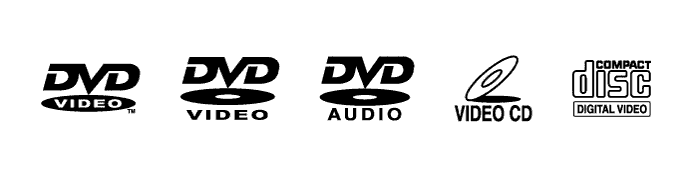
The DVD player can only play DVD videos, DVD audio and video CDs that have any of the following marks:
Precaution for use of discs
| CD (Compact Disc) PLAYER OUTLINE |
A compact disc player uses a laser pickup to read digital signals recorded on a compact disc (CD). By converting the digital signals to analog, it can play music and audio.
Usable discs
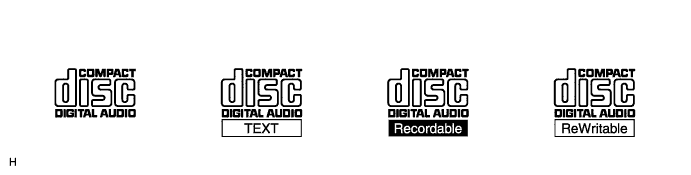
This player can play only audio CDs, CD-Rs (CD-Recordable) and CD-RWs (CD-ReWritable) that have any of the following marks:
Precautions for use of discs
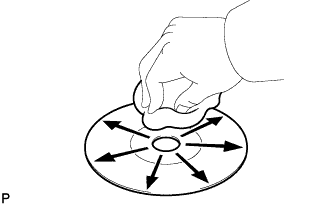 |
Cleaning
If dirt is on the disc surface, wipe it clean with a soft dry cloth such as an eyeglass cleaner for plastic lenses from the inside to the outside in a radial direction.
| MP3/WMA OUTLINE |
Playable MP3 file standards
| Compatible standard | MP3 (MPEG1 LAYER3, MPEG2 LSF LAYER3) |
| Compatible sampling frequency |
|
| Compatible bit rate |
|
| Compatible channel mode | Stereo, joint stereo, dual channel, monaural |
Playable WMA file standards
| Compatible standard | WMA Ver. 7, 8, 9 |
| Compatible sampling frequency | 32, 44.1, 48 (kHz) |
| Compatible bit rate (Only compatible with 2-channel playback) |
|
ID3 tag and WMA tag
Additional text information called an ID3 tag can be input to MP3 files. Information such as song titles and artist names can be stored.
Additional text information called a WMA tag can be input to WMA files. Information such as song titles and artist names can be stored.
Usable media
Only CD-ROMs, CD-Rs (CD-Recordable) and CD-RWs (CD-ReWritable) can be used to play MP3/WMA files.
Usable media format
Usable media format
| Disc format | CD-ROM Mode 1, CD-ROM XA Mode 2 Form1 |
| File format | ISO9660 Level 1 and Level 2 (Joliet, Romeo) |
Standards and restrictions
| Maximum directory levels | 8 levels |
| Maximum number of characters for a folder name/file name | 32 characters |
| Maximum number of folders | 192 (Including empty folders, route folders, and folders that do not contain MP3/WMA files) |
| Maximum number of files in a disc | 255 (Including non-MP3/WMA files) |
File names
Only files with an extension of ".mp3" or ".wma" can be recognized and played as MP3 or WMA files.
Save MP3 or WMA files with an extension of ".mp3" or ".wma".
| COMMUNICATION SYSTEM |
| DIAGNOSTIC FUNCTION OUTLINE |
The navigation system has a diagnostic function (the result is indicated on the master unit or the intelligent tester).
| DIAGNOSIS DISPLAY DETAILED DESCRIPTION |
| "Bluetooth" OUTLINE |
"Bluetooth" is a trademark owned by Bluetooth SIG, Inc.
"Bluetooth" is a wireless connection technology that uses the 2.4 GHz frequency band.
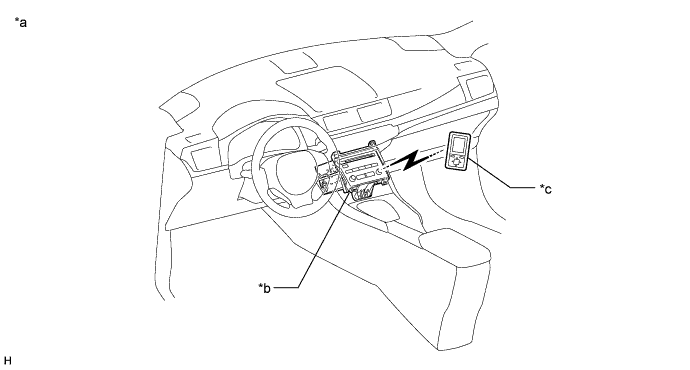
| *a | Example | *b | Radio Receiver Assembly (Built-in "Bluetooth" receiver antenna) |
| *c | Portable Audio Player ("Bluetooth" compatible) | - | - |
"Bluetooth" audio function
The "Bluetooth" built-in radio receiver assembly and a "Bluetooth" compatible portable audio player*2 can be connected using a "Bluetooth" wireless connection. This enables files stored in the portable audio player to be heard from the vehicle speakers. In addition, operations such as play/stop can be performed directly from the radio receiver assembly.
*2: Some versions of "Bluetooth" compatible audio players may not be able to operate the "Bluetooth" function, or music may play, but functions available using the radio receiver assembly may be limited.
Compatible "Bluetooth" audio devices
| "Bluetooth" specifications | Ver. 1.1 or higher (Ver. 2.0+EDR or higher recommended) |
| Following profiles |
|
| Maximum number of audio devices that can be registered | 2 |
| USB AUDIO SYSTEM FUNCTION OUTLINE |
The No. 1 stereo jack adapter assembly is equipped with a USB terminal. Connecting a USB device or "iPod" to the No. 1 stereo jack adapter assembly allows music files to be played. Not only it is possible to play music from a USB device with audio functions, is also possible to play MP3 or WMA music files that are stored on a USB device. In addition, "iPod" control software is installed, allowing file selection from playlists and operation using shuffle mode.
USB audio system compatible model
USB device
The following device formats can be used:
| Compatible USB device formats |
|
"iPod"
"iPod" is a trademark of Apple Inc., registered in the U.S. and other countries.
| Supported "iPod" Model | Supported Firmware Version |
| "iPod" 5th generation | Ver. 1.2.0 or higher |
| "iPod Nano" 1st generation | Ver. 1.3.0 or higher |
| "iPod Nano" 2nd generation | Ver. 1.1.2 or higher |
| "iPod Nano" 3rd generation | Ver. 1.0.0 or higher |
| "iPod touch" 1st generation | Ver. 1.1.0 or higher |
| "iPod classic" 1st generation | Ver. 1.0.0 or higher |
| Unsupported Models | "iPod shuffle" |
| "iPhone" | |
| "iPod" 4th generation and earlier models | |
| "iPod mini" | |
| "iPod photo" |
| ASL (Automatic Sound Levelizer) FUNCTION OUTLINE |
The Automatic Sound Levelizer (ASL) function automatically adjusts the audio system volume level in order to compensate for increased vehicle noise (vehicle noise tends to increase as vehicle speed increases). The ASL adjusts the volume level based upon vehicle speed signals that it receives from the combination meter assembly.
| SOUND LIBRARY FUNCTION OUTLINE |
Up to 2000 tracks can be recorded to the HDD from audio discs.
The recorded tracks will be provided with album, artist, genre and title names using the "Gracenote" Media Database ("CDDB") and stored in the sound library on the HDD.
Album, artist, genre and title names for recorded tracks can be input or edited freely.
These names make it possible to search for a track easily.
