AUDIO AND VISUAL SYSTEM (w/o Navigation System) > CD cannot be Inserted / Played or CD is Ejected Right After Insertion |
| 1.CHECK IF A PROPER CD IS INSERTED |
Make sure that the CD is an audio CD or a CD with an MP3 or WMA file, and that it is not deformed, flawed, stained, deteriorated or otherwise defective.
|
| ||||
| OK | |
 |
| 2.CHECK THAT CD IS INSERTED PROPERLY |
Check whether or not the CD is inserted upside down.
|
| ||||
| OK | |
|
| 3.CLEAN CD AND RECHECK |
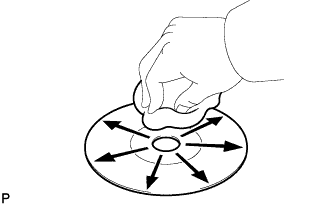 |
Clean the disc by wiping it clean with a soft cloth from the inside to the outside in a radial direction.
|
| ||||
| OK | ||
 | ||
| ||
| 4.REPLACE CD AND RECHECK |
Replace the CD with a known good one and check that the malfunction disappears.
|
| ||||
| OK | ||
| ||
| ||


