NAVIGATION SYSTEM (for HDD) > GPS Mark is not Displayed |
| 1.CHECK CABIN |
Check the cabin for any object that might interrupt radio reception on the instrument panel. If such an object exists, remove it and check if the GPS mark reappears.
|
| ||||
| OK | ||
 | ||
| ||
| 2.CHECK SURROUNDINGS |
Check if the vehicle is in a location where GPS signal reception is poor. If the vehicle is in such a place, relocate the vehicle and check if the GPS mark reappears.
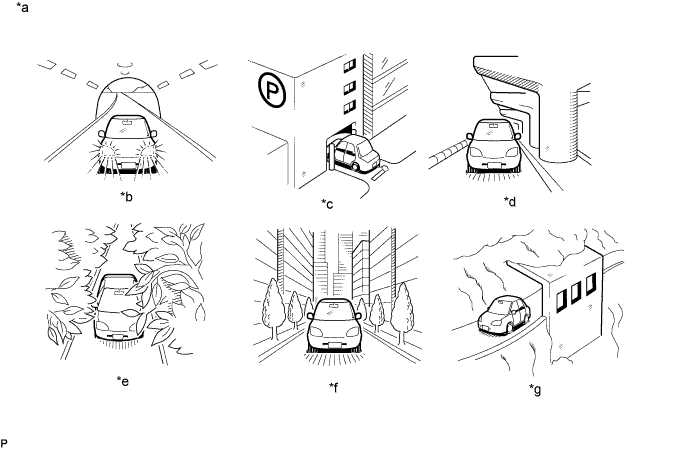
| *a | Example | *b | In a tunnel |
| *c | In a building | *d | Under an overpass |
| *e | On a forest or tree-lined path | *f | Between tall buildings |
| *g | Under a cliff or overhang | - | - |
|
| ||||
| OK | ||
| ||
| ||
| 3.CHECK GPS INFORMATION (OPERATION CHECK) |
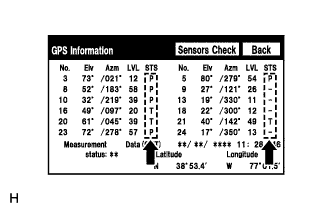 |
Enter the "GPS Information" screen. Refer to Check GPS & Vehicle Sensors in Operation Check (GPS Information) (Click here).
Check how many of the following codes appear in the "STS" column.
|
| ||||
| OK | ||
| ||
| ||


