NAVIGATION SYSTEM (for HDD) > Voice Guidance does not Function |
| 1.CHECK NAVIGATION SETTING |
Display the "Voice Settings" screen.
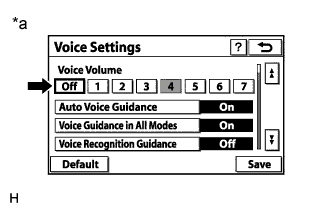 |
Check that "Off" is not selected.
| *a | Example |
|
| ||||
| OK | |
 |
| 2.CHECK NAVIGATION SETTING |
Display the "Voice Settings" screen.
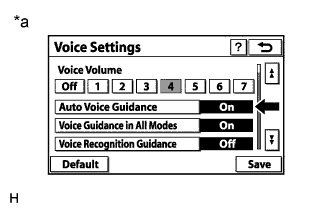 |
Check that "Auto Voice Guidance" is not "Off".
| *a | Example |
|
| ||||
| OK | |
|
| 3.CHECK NAVIGATION SETTING |
Display the "Voice Settings" screen.
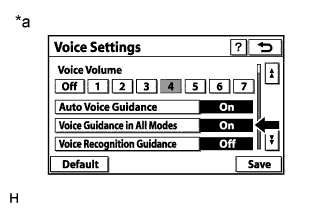 |
Check that "Voice Guidance in All Modes" is not "Off".
| *a | Example |
|
| ||||
| OK | |
|
| 4.CHECK AUDIO FUNCTION |
Check that sound can be heard from a front speaker.
|
| ||||
| OK | ||
 | ||
| ||

