NAVIGATION SYSTEM (for DVD) > Map Display Incomplete

for Preparation Click here


INSPECTION PROCEDURE

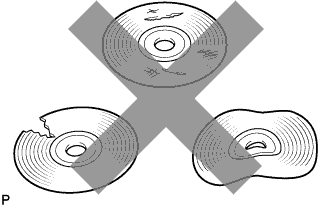
1.CHECK MAP DISC


    I100152
  1. Check that the map disc is not deformed or cracked.

    OK:
    No deformations or cracks on the map disc


NG
REPLACE MAP DISC
OK


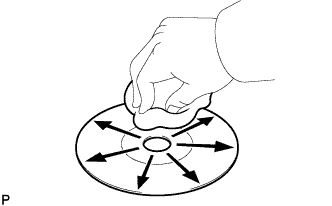
2.CHECK MAP DISC


    I100201
  1. Check for dirt on the map disc surface.

    OK:
    No dirt is on the map disc surface.

    NOTICE:
    Do not use a conventional record cleaner or anti-static preservative.

    HINT:
    If dirt on the disc surface, wipe it clean with a soft cloth from the inside to the outside in a radial direction.


NG
CLEAN MAP DISC
OK


3.CHECK CABIN
  1. Check that condensation is not likely to occur in the cabin, and that the temperature is not high or extremely low in the cabin.

    HINT:
    1. A humid cabin and a rapid change in temperature may lead to condensation. Condensation in the cabin may cause a short circuit.
    2. The navigation system may not operate normally when the temperature is -20°C (-4°F) or lower, or 65°C (149°F) or higher.

    OK:
    Condensation is not likely being produced and the temperature is not high or extremely low.


NG
SET CABIN TO APPROPRIATE TEMPERATURE
OK


4.CHECK NAVIGATION DISPLAY
  1. Check that displays other than the navigation display are complete.

    OK:
    No other incomplete displays are found.


NG
REPLACE DISPLAY AND NAVIGATION MODULE DISPLAY (Click here)
OK

PROCEED TO NEXT SUSPECTED AREA SHOWN IN PROBLEM SYMPTOMS TABLE (Click here)