NAVIGATION SYSTEM (for HDD) > DTC CHECK / CLEAR |
| CHECK DTC (CHECK USING INTELLIGENT TESTER) |
Connect the intelligent tester to the DLC3.
Turn the power switch on (IG).
Turn the intelligent tester on.
Enter the following menus: Body / Navigation System / DTC.
Check for DTCs and then write them down.
Check the details of the DTC(s) (Click here).
| System | Proceed to |
| Audio and visual system (w/ navigation system) |
Click here
|
| CLEAR DTC (CHECK USING INTELLIGENT TESTER) |
Connect the intelligent tester to the DLC3.
Turn the power switch on (IG).
Turn the intelligent tester on.
Enter the following menus: Body / Navigation System / DTC.
Clear the DTCs.
| START DIAGNOSTIC MODE |
There are 2 methods to start diagnostic mode. Start the mode by using either of them.
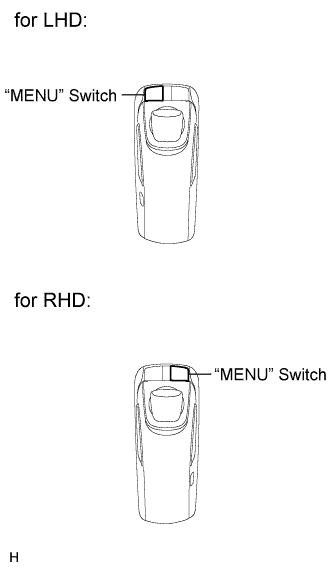 |
Method 1
Start the hybrid system.
While pressing and holding the "MENU" switch, operate the light control switch: Off → Tail → Off → Tail → Off → Tail → Off.
Diagnostic mode starts and the "Service Menu" screen will be displayed.
Method 2
Start the hybrid system.
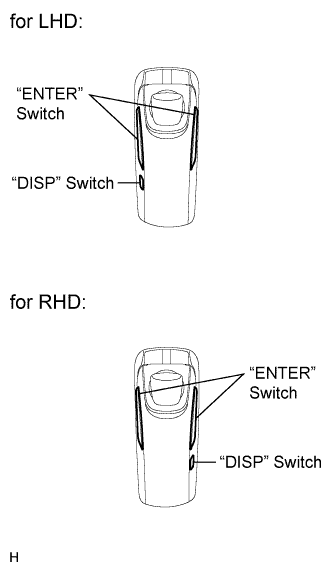 |
Confirm that the map screen is displayed, and then press the "DISP" switch.
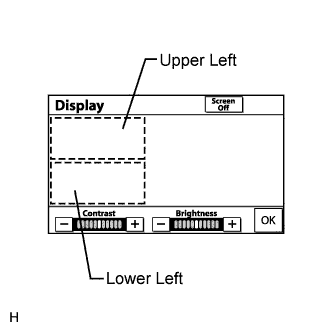 |
From the display quality adjustment screen, select the upper and lower left corners of the screen in the following sequence, pressing "ENTER" each time: Upper left → Lower left → Upper left → Lower left → Upper left → Lower left.
Diagnostic mode starts and the "Service Menu" screen will be displayed.
| FINISH DIAGNOSTIC MODE |
Turn the power switch off.
| FAILURE DIAGNOSIS |
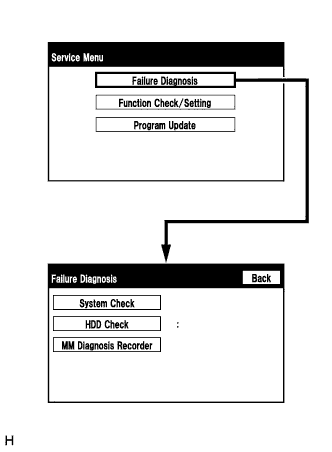 |
The "Failure Diagnosis" screen is displayed when the "Failure Diagnosis" switch on the "Service Menu" screen is selected.
| SYSTEM CHECK (CHECK USING SYSTEM CHECK MODE SCREEN) |
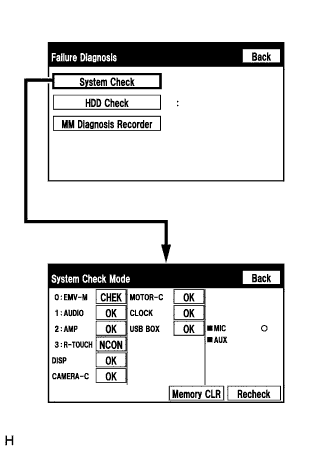 |
The "System Check Mode" screen is displayed when the "System Check" switch on the "Failure Diagnosis" screen is selected.
| CHECK DTC (CHECK USING SYSTEM CHECK MODE SCREEN) |
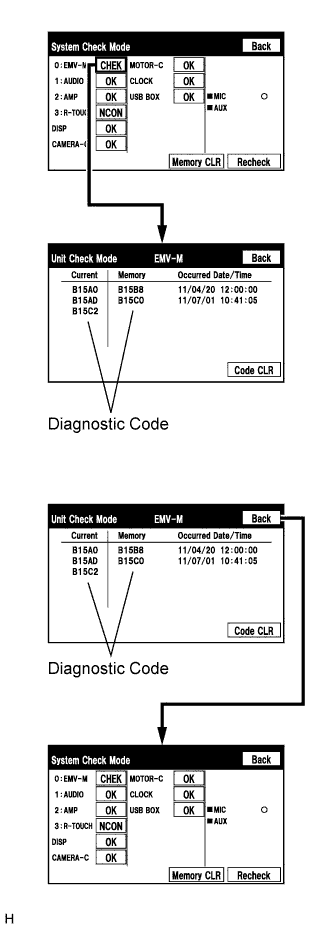 |
Read the system check result.
When the result is "EXCH" or "CHEK", select the icon which displays the result, and check and record each DTC displayed on the "Unit Check Mode" screen.
Check the details of the DTC(s) (Click here).
| System | Proceed to |
| Audio and visual system (w/ navigation system) |
Click here
|
| Parking assist monitor system |
Click here
|
| DTC CLEAR/RECHECK (CLEAR USING SYSTEM CHECK MODE SCREEN) |
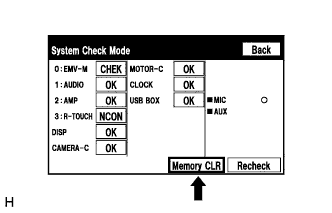 |
Clear DTC
Select the "Memory CLR" switch for 3 seconds.
Confirm that the check results are cleared.
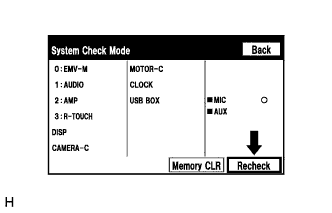 |
Recheck
Select the "Recheck" switch.
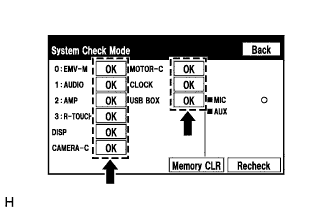 |
Confirm that all diagnostic codes are "OK" when the check results are displayed. If a code other than "OK" is displayed, troubleshoot again.
