NAVIGATION SYSTEM (for HDD) > Parking Brake Switch Circuit |
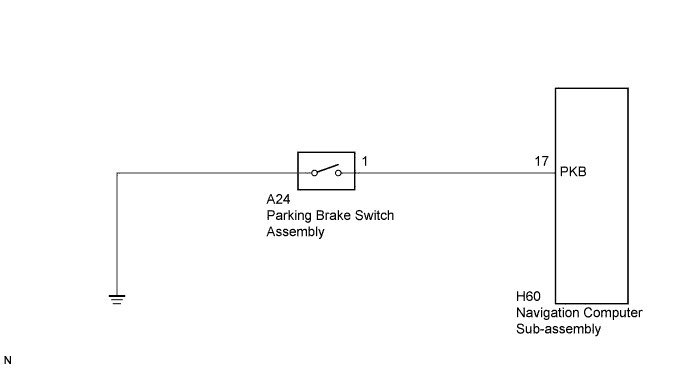
| 1.CHECK BRAKE WARNING LIGHT |
Check that the brake warning light comes on when the parking brake is applied and goes off when it is released.
|
| ||||
| OK | |
 |
| 2.CHECK HARNESS AND CONNECTOR |
Disconnect the H60 navigation computer sub-assembly connector.
Disconnect the A24 parking brake switch assembly connector.
Measure the resistance according to the value(s) in the table below.
| Tester Connection | Condition | Specified Condition |
| H60-17 (PKB) - A24-1 | Always | Below 1 Ω |
| H60-17 (PKB) - Body ground | Always | 10 kΩ or higher |
|
| ||||
| OK | ||
 | ||
| ||
| 3.INSPECT PARKING BRAKE SWITCH ASSEMBLY |
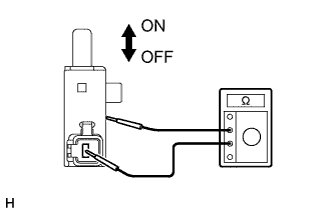 |
Disconnect the parking brake switch assembly connector.
Measure the resistance according to the value(s) in the table below.
| Tester Connection | Condition | Specified Condition |
| Switch connector - Switch body | ON (When shaft is not pressed) | Below 1 Ω |
| Switch connector - Switch body | OFF (When shaft is pressed) | 10 kΩ or higher |
Proceed to the next step based on the inspection result.
| Result | Proceed to |
| OK | A |
| NG (for LHD) | B |
| NG (for RHD) | C |
|
| ||||
|
| ||||
| A | ||
| ||
| ||


