METER / GAUGE SYSTEM > Meter Illumination does not Dim at Night |
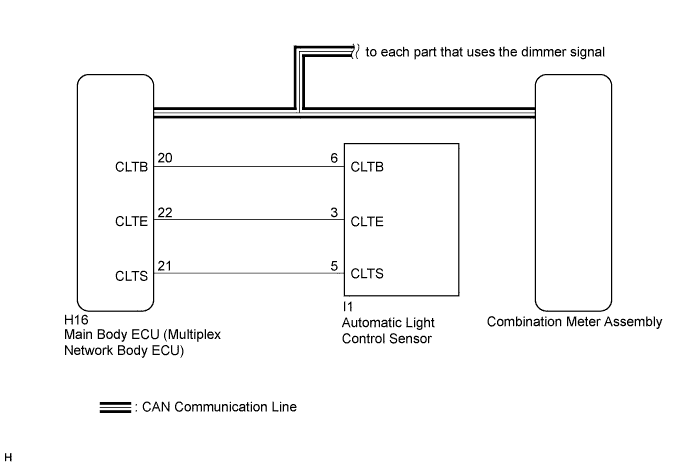
| 1.CHECK CAN COMMUNICATION SYSTEM |
Check if a CAN communication DTC is output (Click here).
| Result | Proceed to |
| CAN communication DTC is not output. | A |
| CAN communication DTC is output. | B |
|
| ||||
| A | |
 |
| 2.READ VALUE USING INTELLIGENT TESTER (ILLUMINATION RATE INFO) |
Connect the intelligent tester to the DLC3.
Turn the power switch on (IG).
Turn the intelligent tester on.
Enter the following menus: Body / Main Body / Data List.
Check the values by referring to the table below.
| Tester Display | Measurement Item/Range | Normal Condition | Diagnostic Note |
| Illumination Rate Info | Illumination rate information/0 ms to 2162.65 ms | Value output according to ambient light levels | - |
| Result | Proceed to |
| The output value changes according to the ambient light levels. | A |
| The output value does not change according to the ambient light levels. | B |
|
| ||||
| A | |
|
| 3.REPLACE MAIN BODY ECU (MULTIPLEX NETWORK BODY ECU) |
Replace the main body ECU (multiplex network body ECU) with a new or a known good one (Click here).
|
| ||||
| OK | ||
 | ||
| ||

