TRANSMITTER BATTERY > REPLACEMENT |
| 1. REMOVE TRANSMITTER BATTERY (for Standard) |
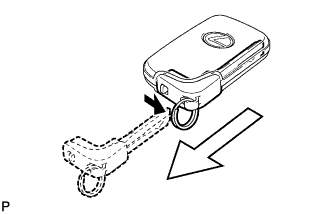 |
Push and hold the release knob in the direction indicated by the arrow shown in the illustration. Then take the mechanical key out of the case.
for Type A:
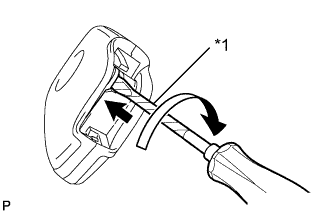 |
Insert a precision screwdriver into the gap, and turn the screwdriver to detach the cover.
| *1 | Protective Tape |
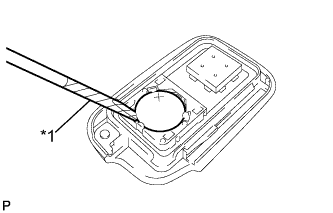 |
Insert a screwdriver into the gap and remove the battery (lithium battery: CR1632).
| *1 | Protective Tape |
for Type B:
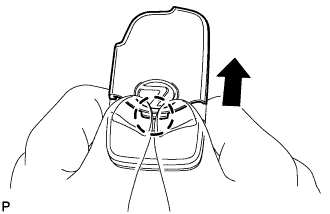 |
Disengage the claw and remove the slide transmitter housing cover as shown in the illustration.
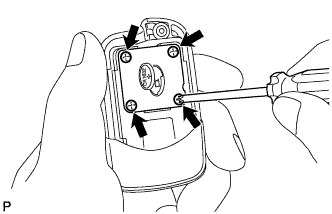 |
Remove the battery cover with 4 screws.
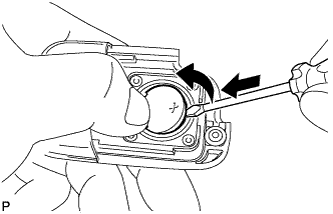 |
Insert a screwdriver into the gap and remove the battery (lithium battery: CR1632).
| 2. REMOVE TRANSMITTER (CARD KEY) BATTERY (for Card Type) |
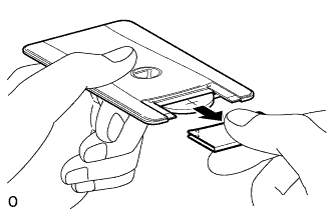 |
Lightly hold and pull the transmitter cover out in the direction shown by the arrow in the illustration.
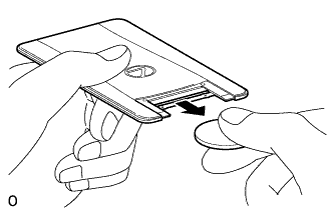 |
Remove the transmitter (card key) battery (lithium battery: CR2412).
| 3. INSTALL TRANSMITTER BATTERY (for Standard) |
for Type A:
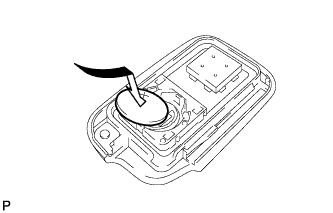 |
Install a new battery (lithium battery: CR1632) with the positive (+) side facing upward as shown in the illustration.
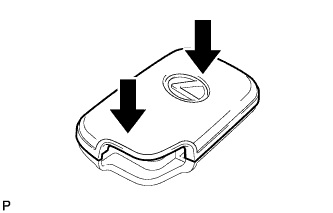 |
Install the cover by pressing down on it as shown in the illustration.
for Type B:
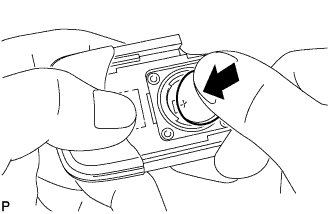 |
Install a new battery (lithium battery: CR1632) with the positive (+) side facing upward, as shown in the illustration.
|
Install the battery cover with the 4 screws.
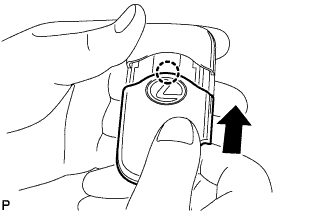 |
Engage the claw to install the slide transmitter housing cover as shown in the illustration.
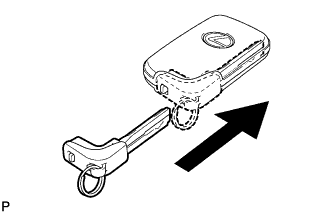 |
Insert the mechanical key into the transmitter.
| 4. INSTALL TRANSMITTER (CARD KEY) BATTERY (for Card Type) |
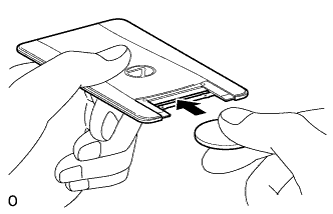 |
Push in and install a new transmitter battery (lithium battery: CR2412) while being careful of the following: 1) the orientation of the battery positive (+) and negative (-) terminals; and 2) being sure to insert the battery between the 2 terminals and deep into the card, in the direction shown by the arrow in the illustration.
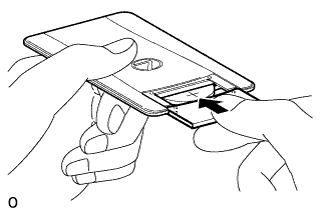 |
Install the transmitter cover so that it clips onto the case.
