REMOTE TOUCH > DISASSEMBLY |
| 1. REMOVE SWITCH KNOB |
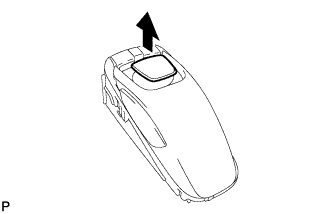 |
Remove the switch knob as shown in the illustration.
| 2. REMOVE REMOTE OPERATION BOARD |
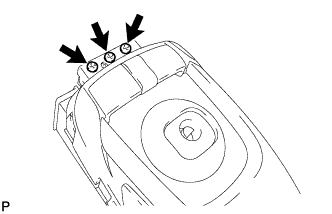 |
Remove the 3 screws.
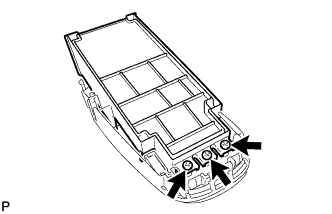 |
Remove the 3 screws.
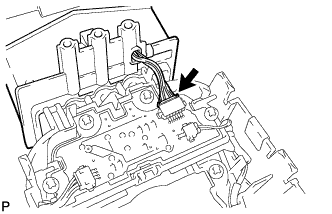 |
Disconnect the connector and remove the remote operation board.
| 3. REMOVE DOME COVER |
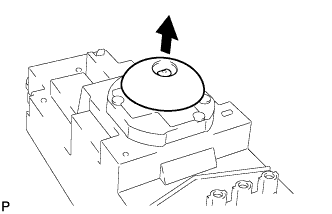 |
Remove the dome cover as shown in the illustration.
| 4. REMOVE COVER ASSEMBLY LH |
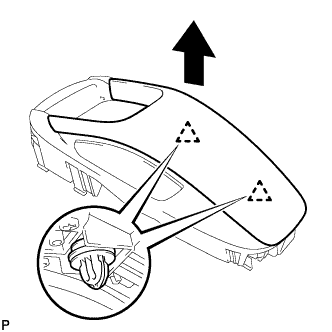 |
Disengage the 2 clips and remove the cover assembly LH.
| 5. REMOVE INTEGRATION PANEL SUB-ASSEMBLY |
