AUDIO AND VISUAL SYSTEM (w/ Navigation System) > Audio cannot be Recorded to HDD |
| 1.CHECK SOUND LIBRARY SETTING OF HDD ON SOUND LIBRARY INFORMATION SCREEN |
Enter the "Sound Library Information" screen. Refer to check Sound Library Setting in Operation Check (Click here).
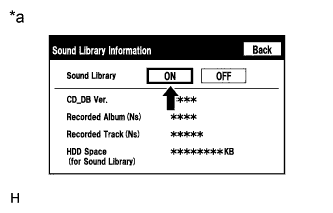 |
Select "ON" for the "Sound Library" setting.
Check if recording is possible.
| *a | Example |
|
| ||||
| OK | ||
 | ||
| ||
| 2.CHECK FREE SPACE IN HDD |
Enter the "Sound Library Information" screen. Refer to check Sound Library Setting in Operation Check (Click here).
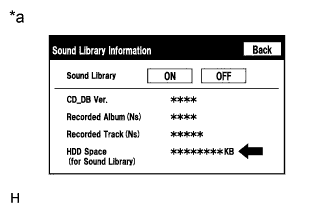 |
Check free space in HDD from the sound library setting screen.
| Result | Proceed to |
| Insufficient space in HDD | A |
| Sufficient space in HDD | B |
| *a | Example |
|
| ||||
| A | ||
| ||
| ||
| 3.CHECK IF AUDIO POWER IS ON |
Check if the audio power is on.
|
| ||||
| OK | |
 |
| 4.CHECK IF RECORDING SETTING IS SET TO AUTO |
Check if the recording setting is set to AUTO.
|
| ||||
| OK | |
|
| 5.CHECK CD |
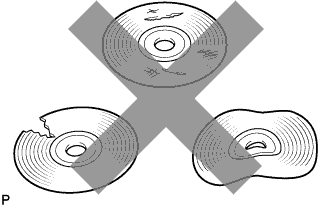 |
Check that the disc is not deformed or cracked.
|
| ||||
| OK | |
|
| 6.CLEAN CD AND RECHECK CD |
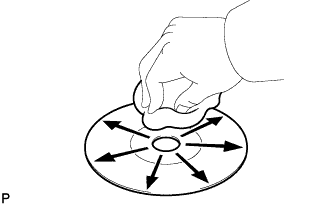 |
Check the disc by wiping it clean with a soft cloth from the inside to the outside in a radial direction.
|
| ||||
| OK | ||
| ||
| ||
| 7.CHECK USING ANOTHER VEHICLE WITH HDD NAVIGATION SYSTEM |
Check if the CD plays normally using another vehicle with the HDD navigation system.
|
| ||||
| OK | ||
| ||
| ||


