 |
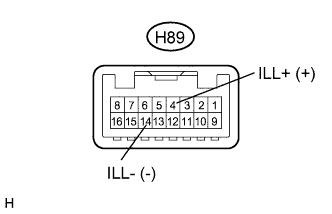
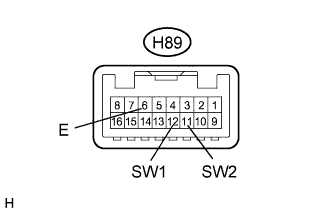
Measure the resistance according to the value(s) in the table below.
- Standard Resistance (for LHD):
Tester Connection Condition Specified Condition H89-12 (SW1) - H89-6 (E) "OPEN/CLOSE" switch not pressed 10 kΩ or higher H89-12 (SW1) - H89-6 (E) "OPEN/CLOSE" switch pressed Below 1 Ω H89-11 (SW2) - H89-6 (E) "TILT" switch not pressed 10 kΩ or higher H89-11 (SW2) - H89-6 (E) "TILT" switch pressed Below 1 Ω
- Standard Resistance (for RHD):
Tester Connection Condition Specified Condition H89-11 (SW2) - H89-6 (E) "OPEN/CLOSE" switch not pressed 10 kΩ or higher H89-11 (SW2) - H89-6 (E) "OPEN/CLOSE" switch pressed Below 1 Ω H89-12 (SW1) - H89-6 (E) "TILT" switch not pressed 10 kΩ or higher H89-12 (SW1) - H89-6 (E) "TILT" switch pressed Below 1 Ω