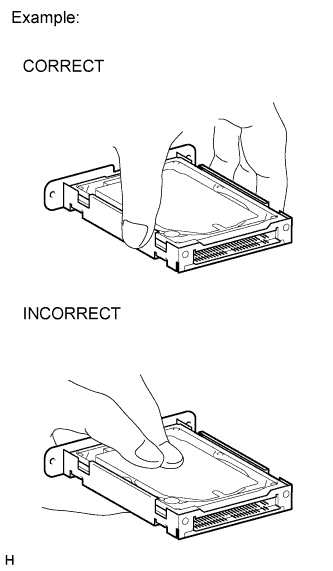
An HDD is built into the navigation computer sub-assembly to store map and other data, and is used for the navigation system. Therefore, care must be taken for the following points when handling:
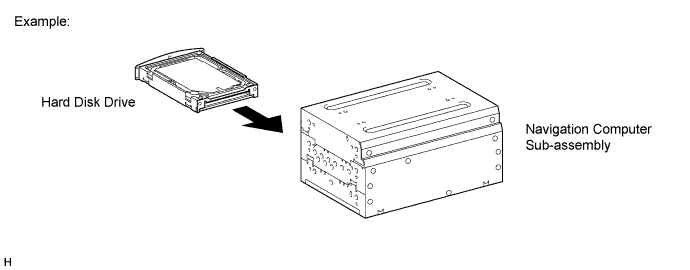
When it is necessary to replace the navigation computer sub-assembly, be sure to replace it with a new one.
- NOTICE:
- If a used navigation computer sub-assembly is installed as a replacement part, the customer's HDD will not be recognized.
Do not apply any vibration or shock to the navigation computer sub-assembly.
- NOTICE:
- Do not drop or subject the navigation computer sub-assembly to severe impacts.
- Do not use the navigation computer sub-assembly if it has been dropped or subjected to a severe impact.
- Do not store the navigation computer sub-assembly without the HDD installed (Only remove the HDD from the navigation computer sub-assembly when the replacement navigation computer sub-assembly or HDD is ready.).
Do not remove the navigation computer sub-assembly if there is a risk that condensation may occur.
- NOTICE:
- If the temperature of the navigation computer sub-assembly changes rapidly, condensation may occur inside the unit. This may cause a malfunction of the HDD. Therefore, when the navigation computer sub-assembly is removed from the instrument panel, it needs to be kept inside the vehicle or in an environment with an equivalent temperature and humidity.
Take measures to prevent static electricity.
- NOTICE:
- Touching the terminals of a connector can cause static electricity to be transmitted to the internal circuits. This may cause a malfunction of the HDD.
Keep the navigation computer sub-assembly away from magnets or magnetized items.
- NOTICE:
- Keep the navigation computer sub-assembly away from speakers, motors, magnetized tools and other magnetic items.