 |
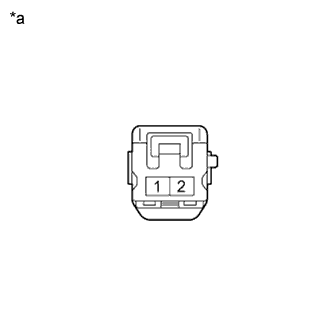
Measure the resistance of the speaker.
- Standard Resistance:
for 10 or 13 Speakers: Tester Connection Condition Specified Condition 1 - 2 Always 10 kΩ or higher
| *a | Component without harness connected (Front No. 3 Speaker Assembly) |
PILLAR SPEAKER (for Front Side) > INSPECTION |
| 1. INSPECT FRONT NO. 3 SPEAKER ASSEMBLY |
With the speaker installed, check that there is no looseness or other abnormalities.
Check that there is no foreign matter in the speaker, no tears on the speaker cone or other abnormalities.
|
Measure the resistance of the speaker.
| Tester Connection | Condition | Specified Condition |
| 1 - 2 | Always | 10 kΩ or higher |
| *a | Component without harness connected (Front No. 3 Speaker Assembly) |
When there is a possibility that either the right or left speaker is malfunctioning, interchange the speakers and perform an inspection. If the malfunction disappears after interchanging the speakers, replace the malfunctioning speaker.