NAVIGATION SYSTEM > SYSTEM DESCRIPTION |
| DIAGNOSIS DISPLAY DETAILED DESCRIPTION (SYSTEM CHECK) |
System Check Mode Display

Device Names and Hardware Address / *1
| Address No. | Name | Address No. | Name |
| 110 | EMV | 120 | AVX |
| 128 | 1DIN TV | 140 | AVN |
| 144 | G-BOOK | 178 | NAVI |
| 17C | MONET | 190 | AUDIO H/U |
| 1AC | CAMERA-C | 1B0 | Rr-TV |
| 1C0 | Rr-CONT | 1C2 | TV-TUNER2 |
| 1C4 | PANEL | 1C6 | G/W |
| 1C8 | FM-M-LD | 1D8 | CONT-SW |
| 1EC | BODY | 1F0 | RADIO TUNER |
| 1F1 | XM | 1F2 | SIRIS |
| 230 | TV-TUNER | 240 | CD-CH2 |
| 250 | DVD-CH | 280 | CAMERA |
| 360 | CD-CH1 | 3A0 | MD-CH |
| 17D | TEL | 440 | DSP-AMP |
| 530 | ETC | 5C8 | MAYDAY |
| 1A0 | DVD-P | 1D6 | CLOCK |
| 1F4 | RSA | 1F6 | RSE |
| 480 | AMP | - | - |
Check Result / *2
| Result | Meaning | Action |
| OK | Device did not respond with DTC (excluding communication DTCs from the AVC-LAN) | - |
| EXCH | Device responds with "replace" type DTC | Check DTC in "Unit Check Mode" and replace device |
| CHEK | Device responds with "check" type DTC | Check DTC in "Unit Check Mode" |
| NCON | Device was previously present, but does not respond in diagnostic mode | Check power supply wire harness of device Check AVC-LAN of device |
| Old | Device responds with "old" type DTC | Check DTC in "Unit Check Mode" |
| NRES | Device responds in diagnostic mode, but gives no DTC information | Check power supply wire harness of device Check AVC-LAN of the device |
Code Clear / *3
Present DTCs are cleared.
Memory Clear / *4
Present and past DTCs and registered connected device names are cleared.
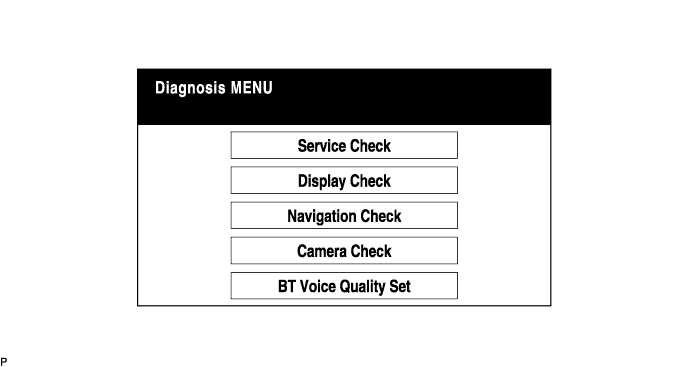
Diagnosis Menu Display
Unit Check Mode Screen
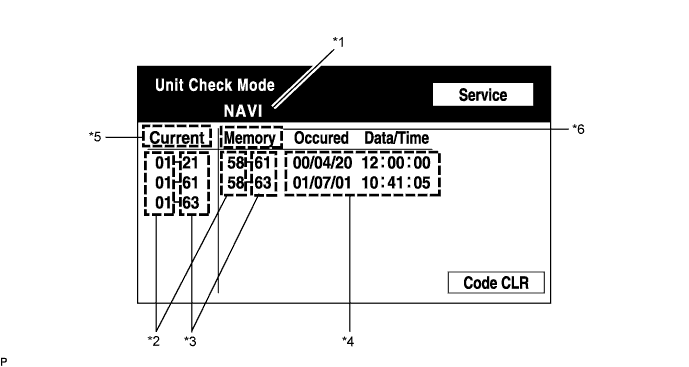
| Display | Contents |
| Device Name / *1 | Target device |
| Segment / *2 | Target device logical address |
| DTC / *3 | DTC (Diagnostic Trouble Code) |
| Time Stamp / *4 | Time and date of past DTCs (Year is displayed in 3 digit format) |
| Present Code / *5 | DTC output at service check |
| Past Code / *6 | Diagnostic memory result and recorded DTCs |
LAN Monitor (Original) Screen
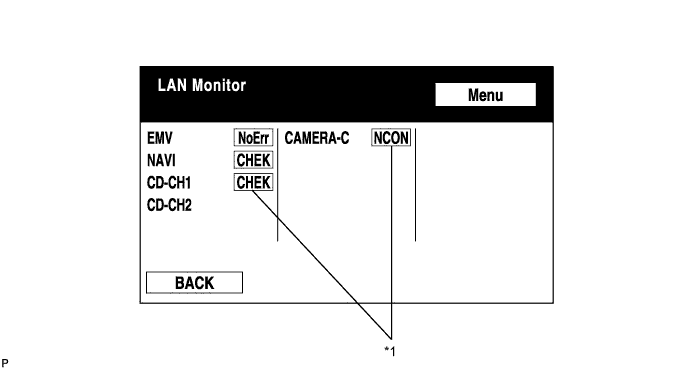
| Result | Meaning | Action |
| No Err (OK) | There are no communication DTCs | - |
| CHEK | Device responds with a "check" type DTC | Check DTC in "Unit Check Mode" |
| NCON | The device was previously present, but does not respond in diagnostic mode | Check power supply wire harness of device Check the AVC-LAN of device |
| Old | The device responded with an "old" type DTC | Check DTC in "Unit Check Mode" |
| NRES | Device responds in diagnostics mode, but gives no DTC information | Check power supply wire harness of device Check AVC-LAN of device |
LAN Monitor (Individual) Screen

| Display | Contents |
| Device name / *1 | Target device |
| Segment / *2 | Target logical address |
| DTC / *3 | DTC (Diagnostic Trouble Code) |
| Sub-code (device address) / *4 | Physical address stored with DTC (If there is no address, nothing is displayed) |
| Connection check No. / *5 | Connection check number stored with DTC |
| DTC occurrence / *6 | Number of times the same DTC has been recorded |
| DIAGNOSIS DISPLAY DETAILED DESCRIPTION (DISPLAY CHECK) |
Vehicle Signal Check Mode Screen

| Name | Contents |
| Battery | Battery voltage is displayed |
| PKB | Parking brake ON / OFF state is displayed |
| IG | Engine switch ON / OFF state is displayed |
| SPEED | Vehicle speed is displayed in km/h |
| TAIL | Tail signal (headlight dimmer switch) ON / OFF state is displayed |
| DIAGNOSIS DISPLAY DETAILED DESCRIPTION (NAVIGATION CHECK) |
Navigation Check MENU Screen

GPS Information Screen

Satellite information / *1
Information from a maximum of 12 satellites is displayed on the screen. This information includes the target GPS satellite number, elevation angle, direction and signal level.
Receiving condition / *2
| Display | Contents |
| T | System is receiving a GPS signal, but is not using it for location |
| P | System is using the GPS signal for location |
| - | System cannot receive a GPS signal |
| Display | Contents |
| 01H | System cannot receive GPS signal |
| 02H | System is tracing satellite |
| 03H | System is receiving GPS signal, but is not using it for location |
| 04H | System is using GPS signal for location |
Measurement information / *3
| Display | Contents |
| 2D | 2-dimensional location method is being used |
| 3D | 3-dimensional location method is being used |
| NG | Location data cannot be used |
| Error | Reception error has occurred |
| - | Any other state |
Position information / *4
| Display | Contents |
| Position | Latitude and longitude information on current position is displayed |
Data information / *5
| Display | Contents |
| Date | Date / time information obtained from GPS signal is displayed in Greenwich Mean Time (GMT). Last 4 digits are displayed. |
Vehicle Signal Check Screen
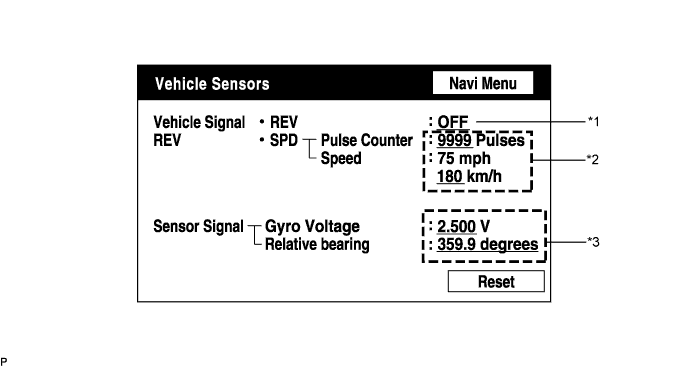
| Display | Contents |
| REV / *1 | REV signal ON / OFF state is displayed |
| SPD / *2 | SPD signal condition is displayed |
| Display | Contents |
| Gyro sensor / *3 | Gyro sensor output condition is displayed (when the vehicle runs straight or is stationary, voltage is approximately 2.5 V) |
Parts Information Screen

| Display | Contents |
| Navigation Manufacturer / *1 | Navigation ECU manufacturer is displayed |
| Navigation Version / *2 | Navigation ECU version is displayed |
| Disc Manufacturer / *3 | Map disc manufacturer is displayed |
| Disc Manufacturer No. / *4 | Map disc version is displayed |
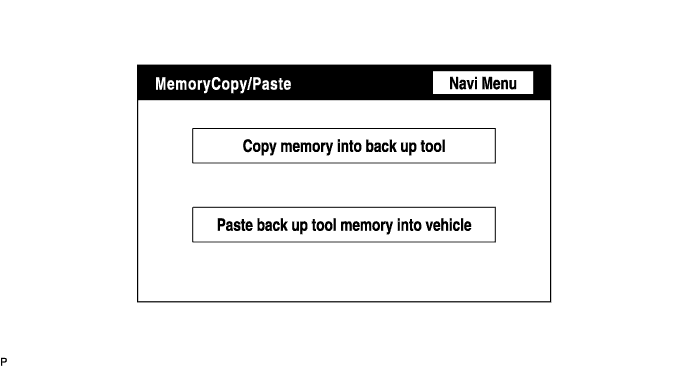
Memory Copy / Paste Screen
| NAVIGATION SYSTEM OUTLINE |
Vehicle position tracking methods.
It is essential that the navigation system correctly tracks the current vehicle position and displays it on the map. There are 2 methods to track the current vehicle position: autonomous (dead reckoning) and GPS* (satellite) navigation. Both tracking methods are used in conjunction with each other.

| Operation | Description |
| Vehicle Position Calculation | Navigation ECU calculates current vehicle position (direction and current position) using direction deviation signal from vehicle speed sensor and creates driving route. |
| Map Display Processing | Navigation ECU displays vehicle tracking on map by processing vehicle position data, vehicle running track, and map data from map disc. |
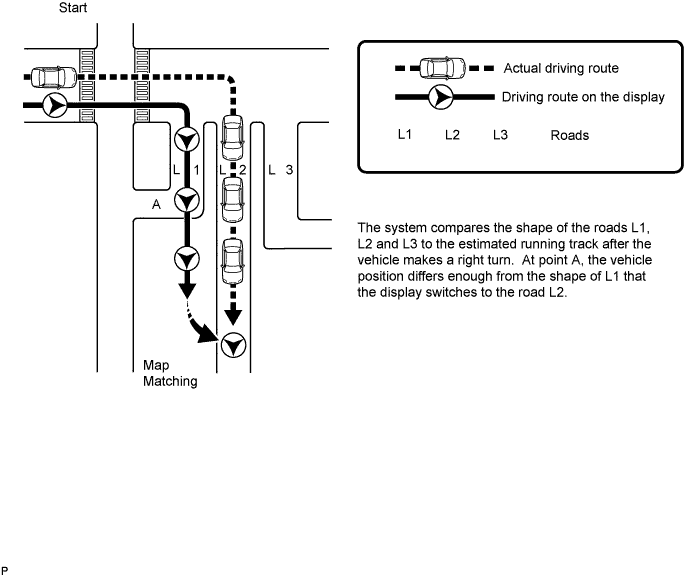
| Map Matching | Map data from map disc is compared to vehicle position and running track data. Then, vehicle position is matched with nearest road. |
| GPS Correction | Vehicle position is matched to position measured by GPS. Then, measurement position data from the GPS is compared with vehicle position and running track data. If position is very different, GPS measurement position is used. |
| Distance Correction | Running distance signal from vehicle speed sensor includes errors caused by tire wear and slippage between tires and road surface. Distance correction is performed to account for this. Navigation ECU automatically offsets running distance signal to make up for difference between it and distance data of map. Offset is automatically updated. |

Autonomous navigation
This method determines the relative vehicle position based on the running track determined by the gyro and vehicle speed sensors located in the navigation ECU.
Gyro sensor
Calculates the direction by detecting angular velocity. It is located in the radio and navigation assembly.
Vehicle speed sensor
Used to calculate the vehicle running distance.
GPS navigation (Satellite navigation)
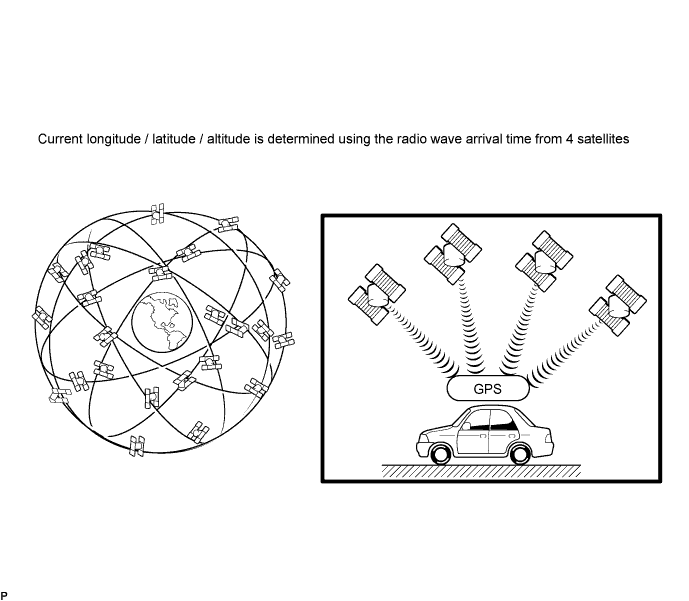
This method detects the absolute vehicle position using GPS radio waves.
| Number of Satellites | Measurement | Description |
| 2 or less | Measurement impossible | Vehicle position cannot be obtained because number of satellites is insufficient |
| 3 | 2-dimensional measurement is possible | Vehicle position is obtained based on current longitude and latitude data (This is less precise than 3-dimensional measurement) |
| 4 | 3-dimensional measurement is possible | Vehicle position is obtained based on current longitude, latitude and altitude data |
Map matching
The current driving route is calculated by autonomous navigation (according to the gyro sensor and vehicle speed sensor) and GPS navigation. This information is then compared with possible road shapes from the map data in the map disc and the vehicle position is set onto the most appropriate road.
| DVD (DIGITAL VERSATILE DISC) PLAYER OUTLINE (FOR NAVIGATION MAP) |
The navigation ECU uses a laser pickup to read the digital signals recorded on a DVD.
| MULTI-DISPLAY OUTLINE |
Touch switch
Touch switches are touch-sensitive (interactive) switches operated by touching the screen. When a switch is pressed, the outer glass bends in to contact the inner glass at the pressed position. By doing this, the voltage ratio is measured and the pressed position is detected.

| AVC-LAN DESCRIPTION |
What is AVC-LAN?
AVC-LAN, an abbreviation for "Audio Visual Communication Local Area Network", is a united standard developed by the manufacturers in affiliation with Toyota Motor Corporation. This standard pertains to audio and visual signals as well as switch and communication signals.

Purpose:
Recently, car audio systems have rapidly developed and the functions have vastly changed. The conventional car audio system is being integrated with a multimedia interface similar to those in navigation systems. At the same time, customers are demanding higher quality from their audio systems. This is an overview of the AVC-LAN standardization. Its specific purposes are as follows:
To solve sound problems, etc., caused by using components of different manufacturers through signal standardization.
To allow each manufacturer to concentrate on developing products they do best. From this, reasonably priced products can be produced.
| BLUETOOTH ONLINE |
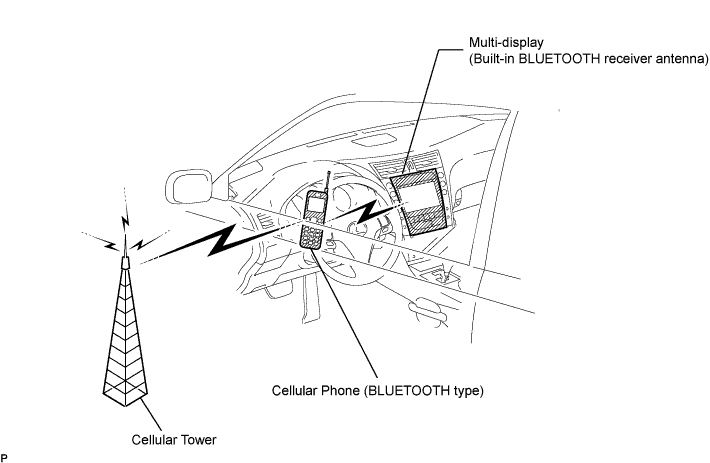
BLUETOOTH is a wireless connection technology that uses the 2.4 GHz frequency band. This makes it possible to remotely connect a cellular phone (BLUETOOTH-capable phone) to the multi-display (BLUETOOTH system is built-in), and use a hands-free function with the cellular phone even when it is in your pocket or bag.
| SYSTEM NORMAL CONDITION CHECK |
If a symptom is applicable to any of the following, it is not a malfunction.
| Symptom | Answer |
| A longer route than expected is chosen | Depending on road conditions, navigation ECU may determine that longer route is quicker |
| Even when distance priority is high, shortest route is not shown | Some paths may not be chosen due to safety concerns |
| When the vehicle is put into motion immediately after engine start, the navigation system deviates from actual position | If vehicle starts before navigation system activates, system may not react |
| When running on certain types of roads, especially new roads, vehicle position deviates from actual position | When vehicle is driving on new roads not available on map disc, system attempts to match it to another nearby road, causing position mark to deviate |
The following symptoms are not a malfunction, but are caused by errors inherent in the GPS, gyro sensor, speed sensor, and navigation ECU.
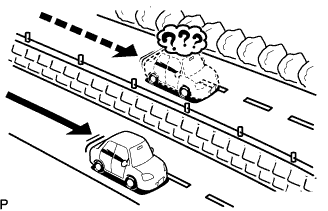 |
The current position mark may be displayed on a nearby parallel road.
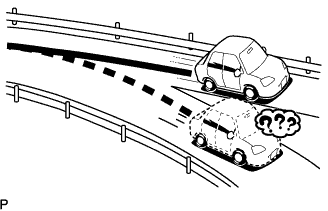 |
Immediately after a fork in the road, the current vehicle position mark may be displayed on the wrong road.
 |
When the vehicle turns right or left at an intersection, the current vehicle position mark may be displayed on a nearby parallel road.
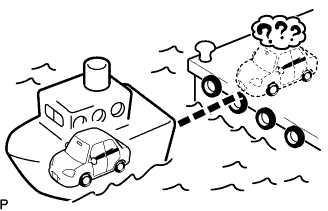 |
When the vehicle is transported, such as on a ferry, and the vehicle itself is not running, the current vehicle position mark may be displayed in the position where the vehicle was until a measurement is performed by the GPS.
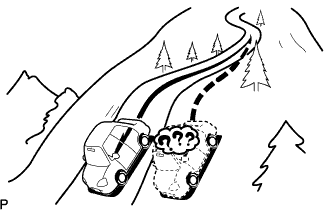 |
When the vehicle runs on a steep hill, the current vehicle position mark may deviate from the correct position.
 |
When the vehicle makes a continuous turn of 360°, 720°, 1,080°, etc., the current vehicle position mark may deviate from the correct position.
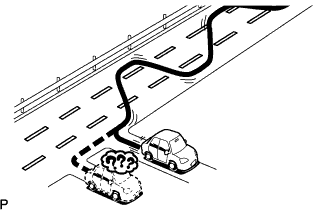 |
When the vehicle moves erratically, such as during constant lane changes, the current vehicle position mark may deviate from the correct position.
 |
When the engine switch is turned on (ACC) / off while on a turntable before parking, the current vehicle position mark may not point in the correct direction. The same will occur when the vehicle comes out of parking.
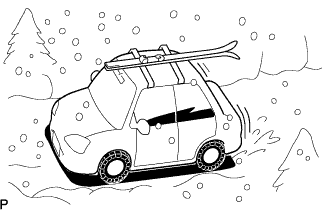 |
When the vehicle is driven on a snowy road or mountain path with chains installed or a spare tire installed, the current vehicle position mark may deviate from the correct position.
 |
When a tire is changed, the current vehicle position mark may deviate from the correct position.
