NAVIGATION SYSTEM > NAVIGATION CHECK MODE |
| GPS INFORMATION |
Enter diagnostic mode (Click here).
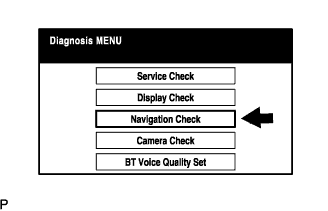 |
Select "Navigation Check" from the "Diagnosis MENU" screen.
 |
Select "GPS Information" from the "Navigation Check" screen.
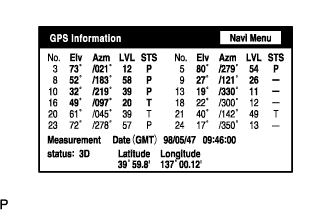 |
When GPS information is displayed, check the GPS conditions.
| VEHICLE SENSORS |
Enter diagnostic mode (Click here).
|
Select "Navigation Check" from the "Diagnosis MENU" screen.
 |
Select "Vehicle Sensors" from the "Navigation Check" screen.
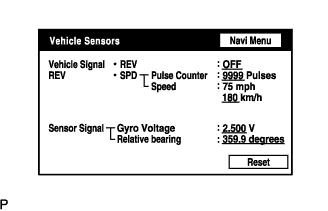 |
Check all the signals and sensors when vehicle signal information is displayed.
| NAVI COLOR BAR CHECK |
Enter diagnostic mode (Click here).
|
Select "Navigation Check" from the "Diagnosis MENU" screen.
 |
Select "Color Bar Check" from the "Navigation Check" screen.
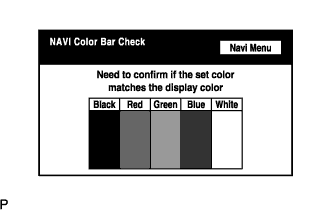 |
Check each color of the color bar when the "NAVI Color Bar Check" screen is displayed.
| PARTS INFORMATION |
Enter diagnostic mode (Click here).
|
Select "Navigation Check" from the "Diagnosis MENU" screen.
 |
Select "Parts Information" from the "Navigation Check" screen.
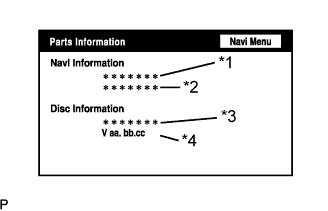 |
Check the navigation and disc information when the "Parts Information" screen is displayed.
| Display | Contents |
| Navigation Manufacturer / *1 | Navigation ECU manufacturer name is displayed |
| Navigation Version / *2 | Navigation ECU version is displayed |
| Disc Manufacturer / *3 | Map disc manufacturer is displayed |
| Disc Version / *4 | Map disc version is displayed |
| MICROPHONE CHECK |
Start diagnostic mode (Click here).
|
Select "Navigation Check" from the "Diagnosis MENU" screen.
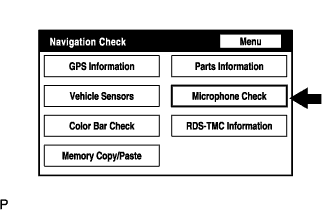 |
Select "Microphone Check" from the "Navigation Check" screen.
 |
Perform the microphone check by following the directions on the "Microphone Check" screen.
| SCREEN NOISE AUTOMATIC ADJUSTMENT |
When either the multi-display or the navigation ECU is replaced:
Turn the engine switch on (ACC) and wait for at least 6 seconds to activate the diagnostic mode (Click here).
|
Select "Navigation Check" from the "Diagnosis MENU" screen.
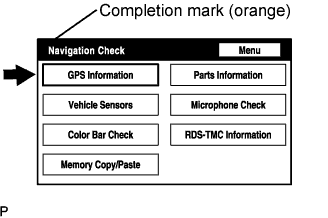 |
The screen enters "Navigation Check" with a "beep" sound. Adjustment is completed when the completion mark is displayed.
Cancel the diagnostic mode (Click here).
