NAVIGATION SYSTEM > GPS Mark is not Displayed |
| 1.CHECK CABIN |
Check the cabin for any object that might interrupt radio reception on the instrument panel. If such an object exists, remove it and check if the GPS mark reappears.
|
| ||||
| OK | ||
 | ||
| ||
| 2.CHECK SURROUNDINGS |
Check if the vehicle is in a location where GPS signal reception is poor. If the vehicle is in such a place, relocate the vehicle and check if the GPS mark reappears.
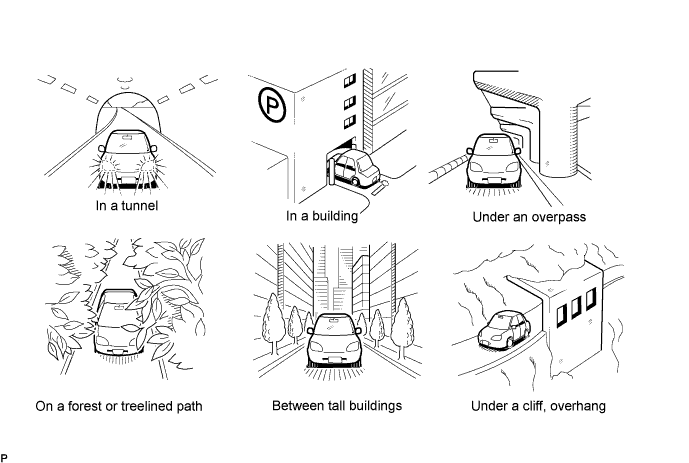
|
| ||||
| OK | ||
| ||
| ||
| 3.CHECK GPS INFORMATION (NAVIGATION CHECK MODE) |
 |
Enter the "Navigation Check" mode (GPS Information) (Click here).
Check how many of the following codes appear in the "STS" column.
|
| ||||
| OK | ||
| ||
| ||


