NAVIGATION SYSTEM > Panel Switches do not Function |
| 1.CHECK PANEL SWITCH |
Check for foreign matter around the switch that might prevent operation.
|
| ||||
| OK | |
 |
| 2.CHECK PANEL SWITCH (DISPLAY CHECK MODE) |
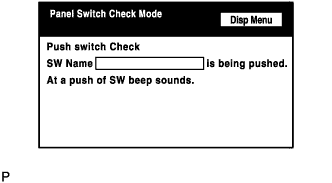 |
Enter the "Display Check" mode (Panel Switch Check Mode) (Click here).
Operate the abnormal switch and check if the switch name and status are correctly displayed.
|
| ||||
| OK | ||
 | ||
| ||

