NAVIGATION SYSTEM > Vehicle Position Mark Deviates Greatly |
| 1.CHECK GPS MARK |
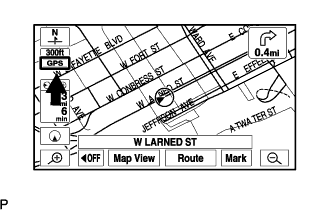 |
Check that the GPS mark is displayed.
|
| ||||
| OK | |
 |
| 2.CHECK VEHICLE SENSOR (NAVIGATION CHECK MODE) |
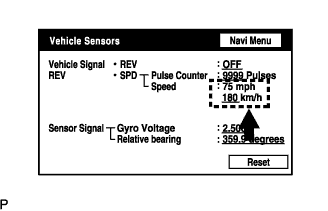 |
Enter the "Navigation Check" mode (Vehicle Sensors) (Click here).
While driving the vehicle, compare the "SPD" indicator to the reading on the speedometer. Check that these readings are almost equal.
|
| ||||
| OK | |
|
| 3.CHECK VEHICLE SENSOR (NAVIGATION CHECK MODE) |
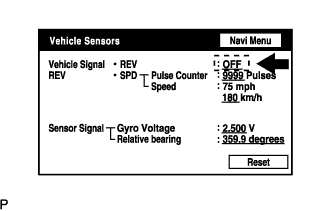 |
Check that the display changes to ON or OFF according to the shift lever operation P and R.
| Shift Lever Position | Display |
| P | OFF |
| R | ON |
|
| ||||
| OK | ||
 | ||
| ||

