THEFT DETERRENT SYSTEM > Security Indicator Light Circuit |
| 1.PERFORM ACTIVE TEST USING INTELLIGENT TESTER (SECURITY INDICATOR) |
Select the Active Test, use the intelligent tester to generate a control command, and then check that the indicator illuminates.
| Item | Test Details | Diagnostic Note |
| Security Indic | Security indicator ON/OFF | - |
|
| ||||
| OK | ||
 | ||
| ||
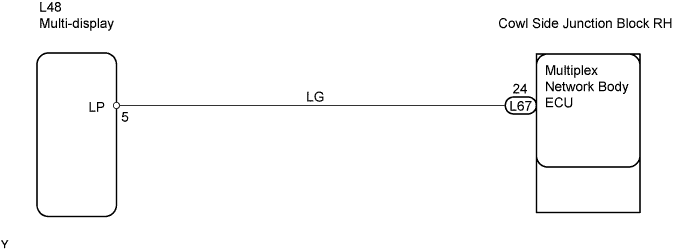
| 2.CHECK WIRE HARNESS (MULTI-DISPLAY - COWL SIDE JUNCTION BLOCK RH (MULTIPLEX NETWORK BODY ECU)) |
 |
Disconnect the L48 multi-display connector.
Disconnect the L67 ECU connector.
Measure the resistance of the wire harness side connectors.
| Tester Connection | Specified Condition |
| L48-5 (LP) - L67-24 (IND) | Below 1 Ω |
|
| ||||
| OK | |
 |
| 3.CHECK OPERATION OF MULTI-DISPLAY WITH NEW OR NORMALLY FUNCTIONING MULTI-DISPLAY |
Temporarily replace the multi-display with a new or normally functioning multi-display.
Check the security indicator operation.
|
| ||||
| OK | ||
| ||
| ||


