PARKING ASSIST MONITOR SYSTEM > ADJUSTMENT |
| 1. SYSTEM ADJUSTMENT |
The back guide monitor system can be set from the diagnostic of the "NAVIGATION SYSTEM".
If the following operations are performed, adjustment and check on the diagnostic screen are required.
| Part Name | Operation | Adjustment Item |
| Television camera |
| Television camera optical axis (camera position setting) |
| Television camera ECU | Replace |
|
| 2. PREPARATION FOR ADJUSTMENT |
 |
Park the vehicle with its wheels facing straight ahead and the steering wheel centered.
Set the target bar for adjustment.
| 3. BOOT DIAGNOSIS MODE |
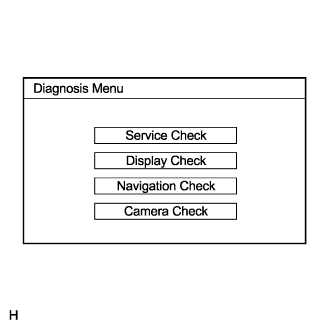 |
Start the engine.
Start the diagnostic system (Click here).
Select "Camera Check" on the Diagnosis Menu.
| 4. STEERING ANGLE SETTING |
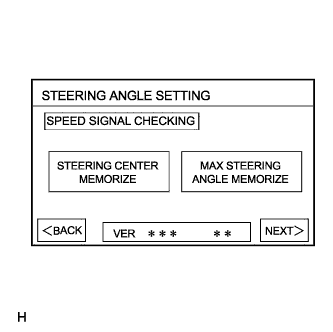 |
Perform the STEERING CENTER MEMORIZE operation.
Check that the steering wheel is centered, and then press "STEERING CENTER MEMORIZE".
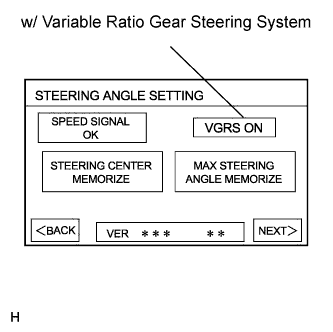 |
Perform the MAX STEERING ANGLE MEMORIZE operation.
After adjusting the steering angle neutral point, turn the steering wheel clockwise and press "MAX STEERING ANGLE MEMORIZE". The maximum steering angle is then stored.
w/ Variable gear ratio steering (VGRS) system:
Perform the VGRS inspection.
Check that "VGRS ON" is displayed.
If the VGRS is malfunctioning, "VGRS CHK" will be displayed, and pressing "NEXT" will not change the screen to the next display.
| 5. CAMERA POSITION SETTING |
 |
Perform the roll angle adjustment.
Press switches A and B to rotate C so that it is parallel to the target adjustment bar (D).
Perform the vertical and horizontal position adjustment.
Press the directional switches to move C so that the target adjustment bar (D) is centered in C.
| 6. VERIFY MODE |
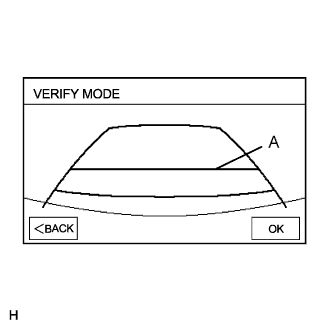 |
Check that A and the target adjustment bar are overlapping.
Selecting "OK" will return the screen to the Diagnosis Menu, and complete the adjustment.
