DTC CHECK / CLEAR
Troubleshooting
| CHECK DTC |
DTCs which are stored in the ECM can be displayed with the intelligent tester and generic OBD scan tool.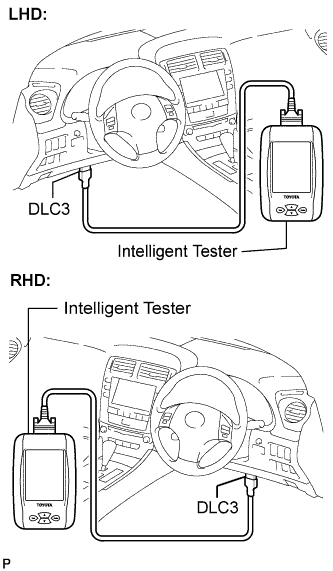

These scan tools can display pending DTCs and current DTCs. Some DTC aren't stored if the ECM doesn't detect a malfunction during consecutive driving. However, the detected malfunction during once driving is stored as pending DTC.Connect the intelligent tester to the Data Link Connector 3 (DLC3).
Turn the engine switch on (IG).
Enter the following menus: Enter / Powertrain / ECT / DTC / Current (or Pending).
Confirm the DTCs and freeze frame data and then write them down.
Confirm the details of the DTCs (Click here).
- NOTICE:
- When simulating a symptom with the scan tool to check the DTCs, use normal mode. For codes on DIAGNOSTIC TROUBLE CODE CHART which are subject to "2-trip detection logic", perform the following actions.
| CLEAR DTC WITH INTELLIGENT TESTER |
Connect the intelligent tester to the DLC3.
Turn the engine switch on (IG).
Enter the following menus: Enter / Powertrain / ECT / DTC / Clear.
| CLEAR DTC WITHOUT INTELLIGENT TESTER |
Disconnect the battery cable or remove the EFI and ETCS fuses from the engine room R/B No. 2 and J/B No. 2 for 60 seconds or more.
- NOTICE:
- When disconnecting the battery cable, initialization is necessary (Click here).