ДАТЧИК ПОЛОЖЕНИЯРАСПРЕДВАЛА > СНЯТИЕ |
| 1. REMOVE V-BANK COVER SUB-ASSEMBLY |
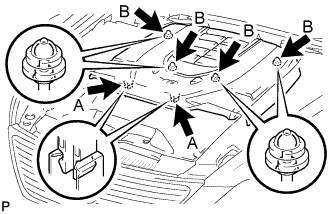 |
While using both hands, lift the rear side of the cover upwards to detach the 4 clips B. Slide the cover towards the front of the vehicle to detach the 2 clips labeled A, and remove the V-bank cover.
| 2. REMOVE CAMSHAFT POSITION SENSOR |
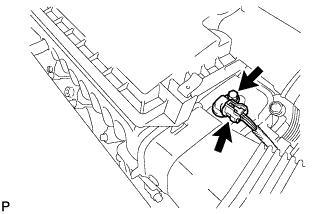 |
Disconnect the camshaft position sensor connector.
Remove the bolt and camshaft position sensor.
