| Last Modified: 11-27-2007 | 1.6 D | |
| Service Category: Engine/Hybrid System | Section: Cruise Control | |
| Model Year: 2008 | Model: LX570 | Doc ID: RM000000V0M012X |
| Title: CRUISE CONTROL: DYNAMIC RADAR CRUISE CONTROL SYSTEM: OPERATION CHECK (2008 LX570) | ||
OPERATION CHECK
|
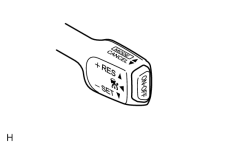
1. INPUT SIGNAL CHECK (a) Connect the Techstream to the DLC3. (b) Check the cruise control main switch (ON-OFF, CANCEL, -SET, +RES, and MODE) using the Data List function in the Techstream. |
2. INSPECT MODE SWITCH
(a) Turn the engine switch on (IG).
|
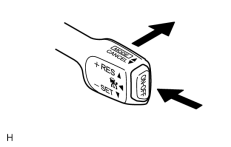
(b) Turn the cruise control main switch on. Then push the cruise control main switch to MODE for 1 second or more to change to constant speed control mode. Check that "NORMAL" is indicated on the multi-information display. NOTICE:
Do not push any other switches before pushing the cruise control main switch to MODE. If another switch is pushed, turn the control switch off and repeat the procedure above. HINT:
If a malfunction is detected, turn the engine switch off and repeat the procedure above. |
3. INSPECT STEERING PAD SWITCH
(a) Turn the engine switch on (IG).
(b) Turn the cruise control main switch on. Then push the cruise control main switch to MODE for 1 second or more to change to vehicle-to-vehicle distance control mode. Check that "RADAR READY" is indicated on the multi-information display.
|
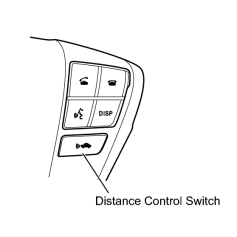
(c) Turn on the distance control switch of the steering pad switch. |
(d) Check that the indication of the vehicle-to-vehicle distance, which is shown in the multi-information display on the combination meter, changes from long to middle to short in that order.
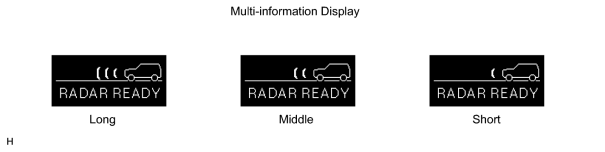
HINT:
The indication is automatically set to long each time the engine is started.

|

|