| Last Modified: 11-27-2007 | 1.6 D | |
| Service Category: Audio/Visual/Telematics | Section: Navigation/Multi Info Display | |
| Model Year: 2008 | Model: LX570 | Doc ID: RM0000011BU03GX |
| Title: NAVIGATION / MULTI INFO DISPLAY: NAVIGATION SYSTEM: DTC CHECK / CLEAR (2008 LX570) | ||
DTC CHECK / CLEAR
HINT:
- Illustrations may differ from the actual vehicle depending on the device settings and options. Therefore, some detailed areas may not be exactly the same as on the actual vehicle.
-
If the system cannot enter the diagnostic mode, inspect all AVC-LAN communication components and repair or replace problem parts
 .
.
- After the engine switch is turned on (IG), check that the map is displayed before starting the diagnostic mode. Otherwise, some items cannot be checked.
1. START DIAGNOSTIC MODE
(a) Turn the engine switch on (IG).
|
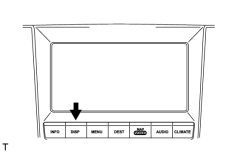
(b) Press the "DISP" switch. |
|
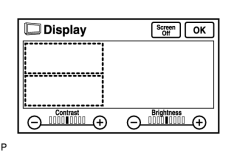
(c) From the display quality adjustment screen, touch the corners of the screen in the following order: upper left → lower left → upper left → lower left → upper left → lower left. |
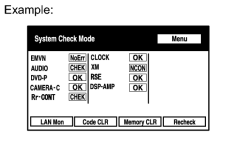
(d) The diagnostic mode starts and the "System Check Mode" screen will be displayed. Service inspection starts automatically and the result will be displayed.
2. FINISH DIAGNOSTIC MODE
(a) Turn the engine switch off.
3. DIAGNOSIS MENU
|
(a) Press the "Menu" switch on the "System Check Mode" screen. |
|
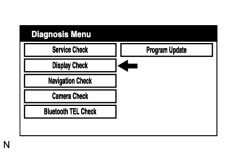
(b) The "Diagnosis Menu" screen will be displayed. |
4. CHECK DTC (WITH DIAGNOSTIC MODE)
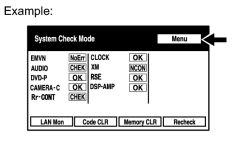
(a) Read the system check result.
|
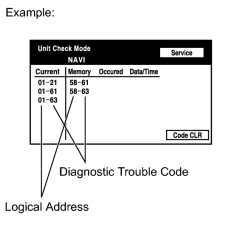
(1) If the check result is "EXCH", "CHEK" or "Old", touch the displayed check result. |
|
(2) View the results on the "Unit Check Mode" screen and record them. |
|
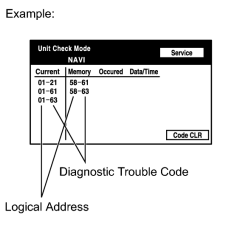
(3) When proceeding to view the results of another device, press the "Service" switch. |
|
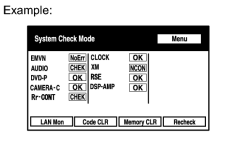
(4) Return to the "System Check Mode" screen. HINT:
To check other items, repeat from the first step. |
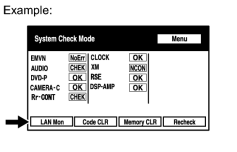
(b) Read the communication diagnostic check result.
|
(1) Return to the "System Check Mode" screen, and press the "LAN Mon" switch. |
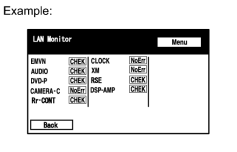
|
(2) The "LAN Monitor" screen is displayed. |
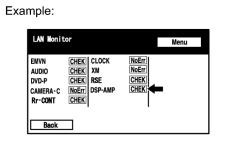
|
(3) If the check result is "CHEK" or "Old", touch the displayed check result. |
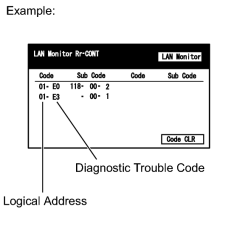
|
(4) View the results on the individual communication diagnostic screen and record them. HINT:
|
5. DTC CLEAR/RECHECK (WITH DIAGNOSTIC MENU)
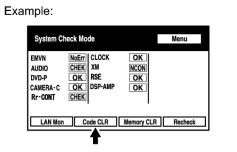
|
(a) Clear DTC (1) Press the "Code CLR" switch for 3 seconds. (2) The check results are cleared. |
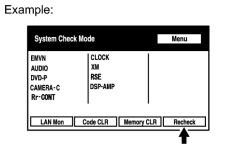
|
(b) Recheck (1) Press the "Recheck" switch. (2) Confirm that all diagnostic trouble codes are "OK" when the check results are displayed. If a code other than "OK" is displayed, troubleshoot again. (3) Press the "LAN Mon" switch to change to "LAN Monitor" mode. (4) Confirm that all diagnostic trouble codes are "No Err". If a code other than "No Err" is displayed, troubleshoot again. |

|

|