AUDIO AND VISUAL SYSTEM > CD cannot be Inserted / Played or CD is Ejected Right After Insertion |
| 1.CHECK IF A PROPER CD IS INSERTED |
Make sure that the CD is a normal audio CD, and that it is not deformed, flawed, stained, burred or other defective.
|
| ||||
| OK | |
 |
| 2.CHECK THAT CD IS INSERTED PROPERLY |
Check whether or not the CD is inserted upside down.
|
| ||||
| OK | |
|
| 3.CHECK CD |
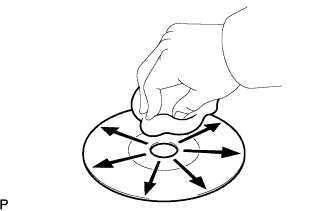 |
Clean the disc by wiping it radially with a soft cloth.
|
| ||||
| OK | ||
 | ||
| ||
| 4.REPLACE CD WITH ANOTHER AND RECHECK |
Replace the CD with a normal one and check if the same problem occurs.
|
| ||||
| OK | ||
| ||
| ||


