NAVIGATION SYSTEM > Display does not DIM (Night Screen) with Tail Switch ON |
| 1.CHECK IMAGE QUALITY SETTING |
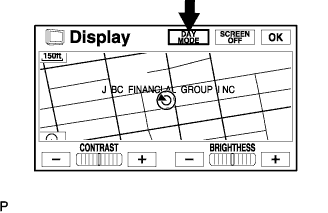 |
Enter the display adjustment screen by pressing the "DISP" switch.
Turn the light control switch to the TAIL position.
Check if "DAY MODE" on the display adjustment is ON.
|
| ||||
| OK | ||
 | ||
| ||
| 2.CHECK VEHICLE SIGNAL (DISPLAY CHECK MODE) |
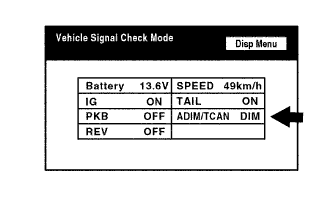 |
Enter the "Display Check" mode (Vehicle Signal Check) (Click here).
Check that the display changes between DIM and BRIGHT according to the light control switch operation.
| Light Control Switch | Display |
| TAIL or ON | DIM |
| OFF | BRIGHT |
|
| ||||
| OK | ||
| ||
| ||


