NAVIGATION SYSTEM > Voice Recognition Difficulty

for Preparation Click here


INSPECTION PROCEDURE

1.CHECK CONDITION
  1. Check if the system's voice recognition level is low by using only one particular voice.

    OK:
    System's voice recognition level is low with any voice.


NG
SYSTEM'S VOICE RECOGNITION LEVEL VARIES DEPENDING ON VOICE AND PRONUNCIATION. THIS IS NOT A MALFUNCTION
OK


2.CHECK MAP DISC


    I100152E12
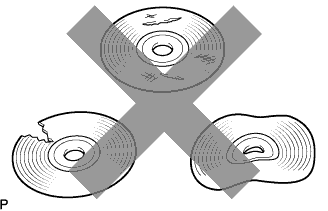
  1. Check that the map disc is not deformed or cracked.

    OK:
    No deformations or cracks on map disc.


NG
REPLACE MAP DISC
OK


3.CHECK MAP DISC


    I100201E04
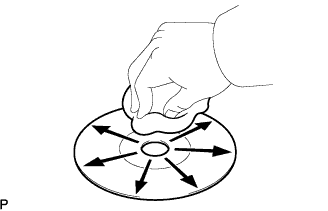
  1. Check for dirt on the map disc surface.

    OK:
    No dirt is on map disc surface.

    NOTICE:
    Do not use a conventional record cleaner or anti-static preservative.

    HINT:
    If the disc is dirty, clean the disc by wiping the disc's surface radially with a soft cloth.


NG
CLEAN MAP DISC
OK


4.CHECK MICROPHONE (NAVIGATION CHECK MODE)


    I100054E07
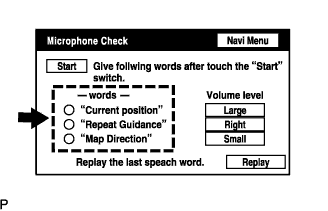
  1. Enter the "Microphone Check" mode (Click here).

  1. Follow the directions on the screen. Check that the word recognition indicator lights up in green for each item.

    OK:
    All check items are recognized.


NG
RETURN TO THE ORIGINAL INSPECTION FLOW BECAUSE THE CHECK RESULT IS NORMAL
OK

NORMAL OPERATION