NAVIGATION SYSTEM > DISPLAY CHECK MODE |
| ENTER DIAGNOSTIC MODE (Click here). |
| DISPLAY CHECK |
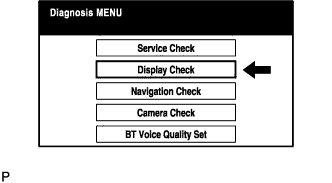 |
Select "Display Check" from the "Diagnosis MENU" screen.
| COLOR BAR CHECK |
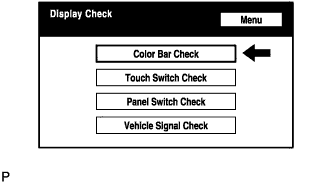 |
Select "Color Bar Check" from the "Display Check" screen.
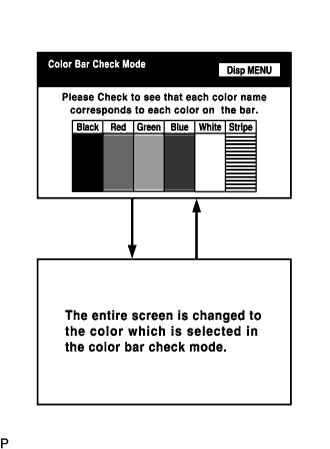 |
Select a color bar from the "Color Bar Check Mode" screen.
| TOUCH SWITCH CHECK |
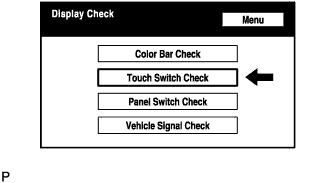 |
Select "Touch Switch Check" from the "Display Check" screen.
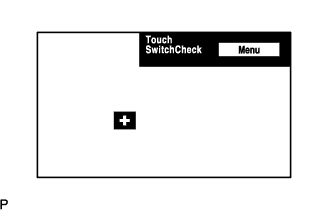 |
Touch the display anywhere in the open area to perform the check when the "Touch Switch Check" screen is displayed.
| PANEL SWITCH CHECK |
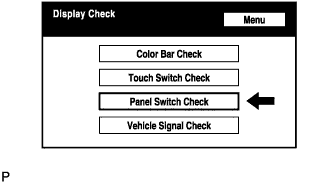 |
Select "Panel Switch Check" from the "Display Check" screen.
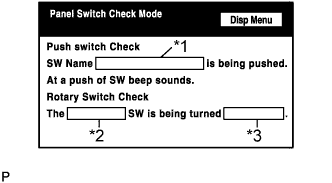 |
Operate each switch and check that the switch name and condition are correctly displayed.
| Display | Contents |
| Push switch name/*1 |
|
| Rotary switch name/*2 | Name of the rotary switch is displayed. |
| Rotary switch direction/*3 | Direction of the rotary switch is displayed. |
| VEHICLE SIGNAL CHECK |
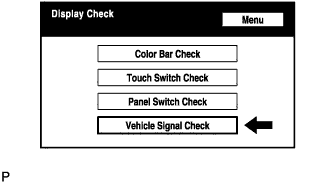 |
Select "Vehicle Signal Check" from the "Display Check" screen.
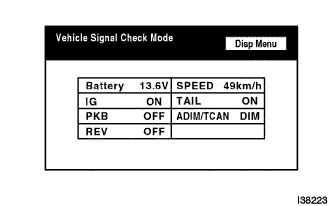 |
When the "Vehicle Signal Check Mode" screen is displayed, check all the vehicle signal conditions.
