NAVIGATION SYSTEM > NAVIGATION CHECK MODE |
| ENTER DIAGNOSTIC MODE (Click here). |
| NAVIGATION CHECK |
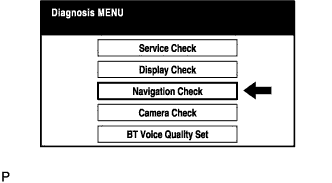 |
Select "Navigation Check" from the "Diagnosis MENU" screen.
| GPS INFORMATION |
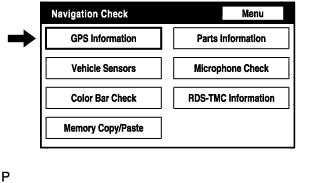 |
Select "GPS Information" from the "Navigation Check" screen.
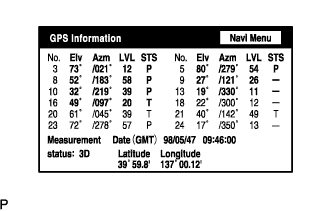 |
When GPS information is displayed, check the GPS conditions.
| VEHICLE SENSORS |
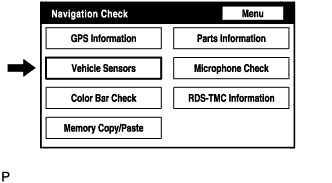 |
Select "Vehicle Sensors" from the "Navigation Check" screen.
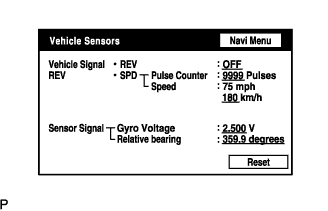 |
Check all the signals and sensors when vehicle signal information is displayed.
| COLOR BAR CHECK |
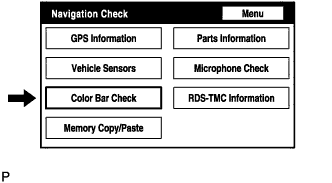 |
Select "Color Bar Check" from the "Navigation Check" screen.
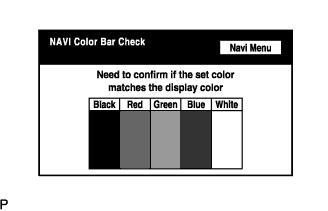 |
Check each color of the color bar when the "NAVI Color Bar Check" screen is displayed.
| PARTS INFORMATION |
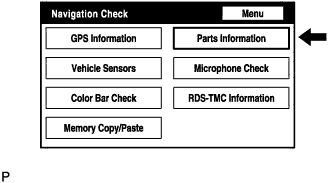 |
Select "Parts Information" from the "Navigation Check" screen.
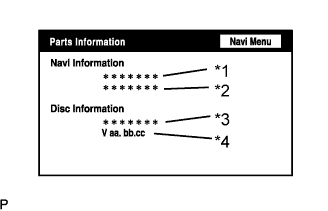 |
Check the navigation and disc information when the "Parts Information" screen is displayed.
| Display | Contents |
| Navigation Manufacturer/*1 | Navigation ECU manufacturer name is displayed. |
| Navigation Version/*2 | Navigation ECU version is displayed. |
| Disc Manufacturer/*3 | Map disc manufacturer is displayed. |
| Disc Version/*4 | Map disc version is displayed. |
| MICROPHONE CHECK |
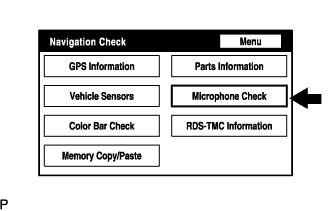 |
Select "Microphone Check" from the "Navigation Check" screen.
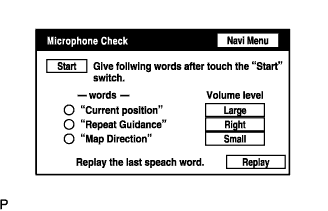 |
Perform the microphone check by following the directions on the "Microphone Check" screen.
| RDS-TMC INFORMATION |
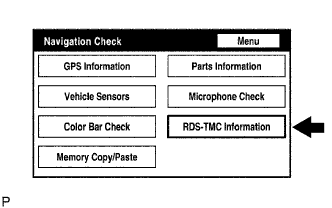 |
Select "RDS-TMC Information" from the "Navigation Check" screen.
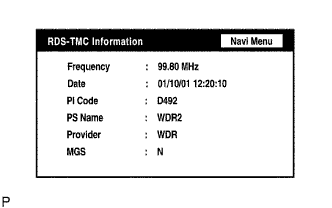 |
When RDS-TMC information is displayed, check the RDS-TMC conditions.
