ILLUMINATED ENTRY
DISPLAY (ITEM)
| DEFAULT
| CONTENTS
| SETTING
|
Lighting Time
| 15 s
| To change the lighting time after closing the door. (It will quickly fade out in case of turning the ignition ON.)
| 7.5 s / 15 s / 30 s
|
Operation of Illumination System
| ON
| Function to light up the step light, center console light and door inside handle light when one of the following occurs; the ignition turned ON, door unlock or door open.
| ON / OFF
|
Light Control)
| ON
| Function to light up the step light and door inside handle light when the ignition switch is ON and the shift position is not P.
| ON / OFF
|
I/L ON W/Door Key Unlock
| ON
| Function to light up the interior light*, ignition light and step light when unlocking with the door key cylinder.
*: Interior light comes on when the interior light switch is at the DOOR position.
| ON / OFF
|
I/L when ACC OFF
| ON
| Function to light the interior light* and door courtesy light when the ignition switch is operated from "ACC" to "LOCK".
*: interior light comes on when the interior light switch is at the DOOR position.
| ON / OFF
|
LIGHT CONTROL
DISPLAY (ITEM)
| DEFAULT
| CONTENTS
| SETTING
|
Light Auto OFF Delay
| 30 s
| Function to keep on lighting the headlight for a certain period of time after closing all the doors with the ignition switch turned OFF from ON under the condition that the light control switch is at HEAD or AUTO with the headlight ON.
| OFF / 30 s / 60 s / 90 s
|
Light control type
| CURRENT
| To change the control logic when the light control switch is AUTO position. Refer to the *1 illustration.
| CURRENT / OLD
|
Turn ON luminous intensity
| NORMAL
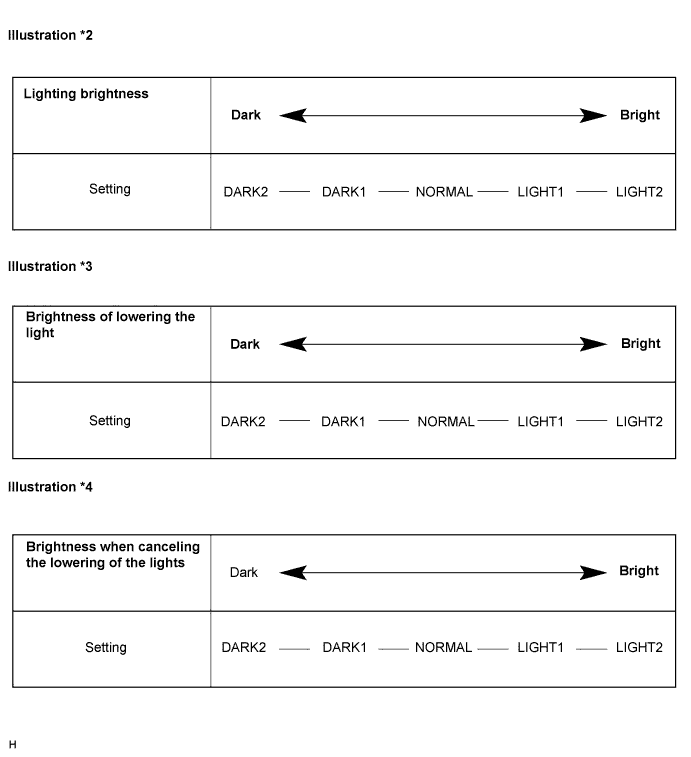
| To adjust the sensitivity of the lighting illumination. Refer to the *2 illustration.
| DARK2 / DARK1 / NORMAL / LIGHT1 / LIGHT2
|
Display extinction ON sensitivity
| NORMAL
| To change the brightness of lowering the lights such as the indicator light of the combination meter, A/C indicator light, clock. Refer to *3 illustration.
| DARK2 / DARK1 / NORMAL / LIGHT1 / LIGHT2
|
Display extinction OFF sensitivity
| NORMAL
| To change the brightness of canceling the lowering the lights such as the indicator light of the combination meter, A/C indicator light, clock. Refer to *4 illustration.
| DARK2 / DARK1 / NORMAL / LIGHT1 / LIGHT2
|