POWER POINT SOCKET > INSTALLATION |
| 1. INSTALL POWER POINT SOCKET COVER |
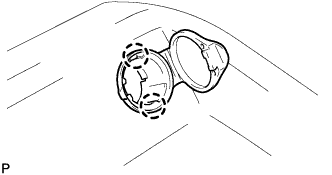 |
Engage the 2 claws and install the power point socket cover.
| 2. INSTALL POWER POINT SOCKET |
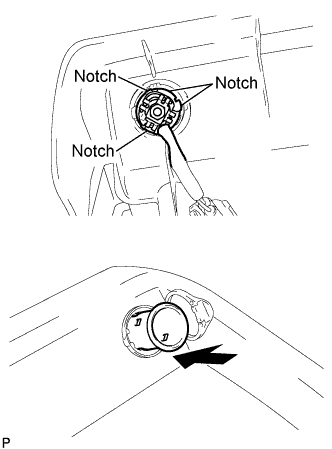 |
Place the power point socket with the notch on the power point socket cover, and push in the power point socket as hard as possible to install it.
| 3. INSTALL CONSOLE COVER LOWER |
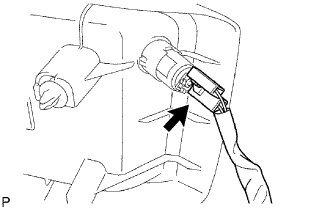 |
Connect the connector.
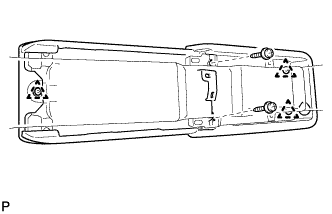 |
Engage the 3 clips and install the console cover lower with the 2 screws.
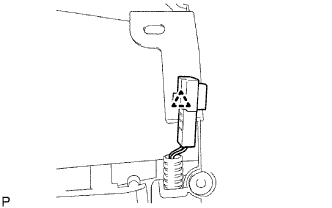 |
Engage the clamp.
| 4. INSTALL REAR CONSOLE BOX |
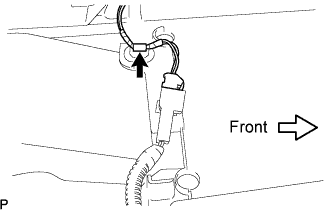 |
Connect each of the clamp and the connector.
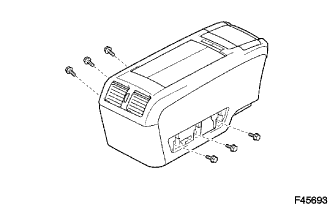 |
Keeping the rear console box pulled in the rear direction of the vehicle, install the 6 bolts from the left and right sides.
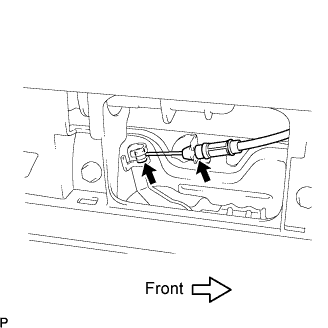 |
Connect the console box lock control cable assembly and install the rear console box.
| 5. INSTALL CONSOLE BOX HOLE COVER |
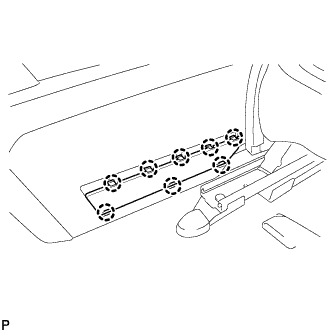 |
Slide the front seat assemblies RH and LH forward.
Slide the rear console box fully to the back end and install the console box hole cover.
| 6. INSTALL NO.2 CONSOLE BOX HOLE COVER |
