REMOVAL
Removal / installation
| 1. REMOVE STEERING COLUMN COVER (for Manual Tilt) |

Remove the steering column cover lower No.2.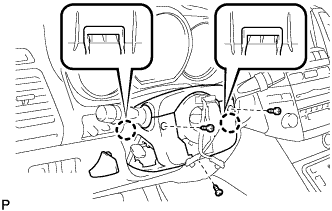

Remove the 3 screws.
Disengage the 2 claws and remove the steering column cover lower.
Disengage the claw and remove the steering column cover upper.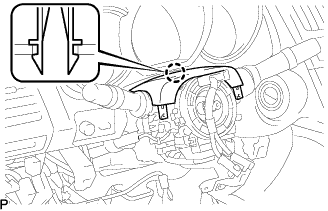
| 2. REMOVE STEERING COLUMN COVER (for Power Tilt and Power Telescopic) |
Remove the 3 screws.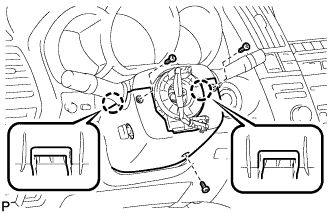
Disengage the 2 claws and remove the steering column cover lower.
- NOTICE:
- Do not damage the tilt and telescopic switch.
Disengage the claw and remove the steering column cover upper.
| 3. REMOVE WIPER SWITCH |
Disconnect the connector.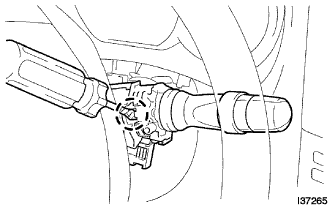
Using a screwdriver wrapped with protective tape, disengage the claw and remove the wiper switch.
- NOTICE:
- If the claw is pushed with excessive force, it may be broken.