DATA LIST / ACTIVE TEST
System information
| USING INTELLIGENT TESTER |
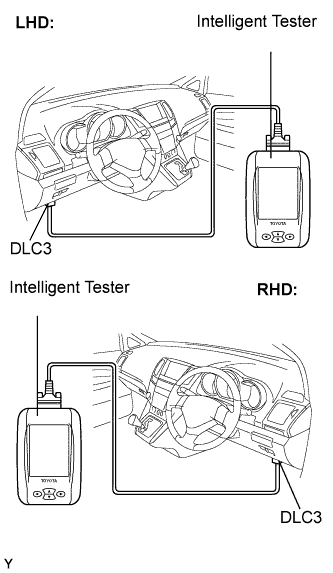  |
Connect the intelligent tester to the DLC3.
Monitor the ECU data by following the prompts on the tester screen.
- HINT:
- The intelligent tester has a "Snapshot" function which records the monitored data. Refer to the intelligent tester operator's manual for further details.
| DATA LIST |
- HINT:
- Using the DATA LIST displayed on the intelligent tester, you can read the value of the switch, sensor, actuator, etc. without parts removal. Reading the DATA LIST as the first step of troubleshooting is one way to shorten the labor time.
Connect the intelligent tester to the DLC3.
Turn the ignition switch ON.
Read the DATA LIST according to the display on the tester.
Body ECU: Item
Measurement Item/ Display (Range)
Normal Condition
Diagnostic Note
D Door Curtesy SW
Driver side door courtesy switch signal/ or OFF
ON: Driver side door is open
OFF: Driver side door is closed
-
P Door Curtesy SW
Front passenger side door courtesy switch signal/ ON or OFF
ON: Front passenger side door is open
OFF: Front passenger side door is closed
-
IG SW
Ignition switch signal/ ON or OFF
ON: Key is in ON or START position
OFF: Key is in OFF or ACC position
-
| ACTIVE TEST |
- HINT:
- Performing the ACTIVE TEST using the intelligent tester allows you to operate the relay, VSV, actuator, etc. without parts removal. Performing the ACTIVE TEST as the first step of troubleshooting is one way to shorten the labor time. It is possible to display the DATA LIST during the ACTIVE TEST.
Connect the intelligent tester to the DLC3.
Turn the ignition switch ON.
Perform the ACTIVE TEST according to the display on the tester.
- Multiplex Network Master switch Assembly:
Item
Test Detail
Diagnostic Note
Passenger Power Window Up/Down
Operates power window UP/DOWN
-
RL Power Window Up/Down
Operates power window UP/DOWN
-
RR Power Window Up/Down
Operates power window UP/DOWN
-