INSTALLATION
Removal / installation
| 1. INSTALL NETWORK GATEWAY ECU |

Install the network gateway ECU with the screw.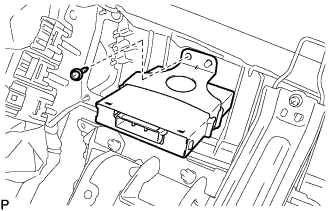

Connect the connector.
| 2. INSTALL GLOVE COMPARTMENT DOOR ASSEMBLY |
Connect the connectors.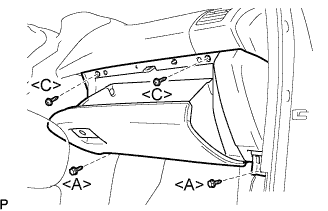
Install the 2 bolts <A>, the 2 screws <C>, and the glove compartment door assembly.
| 3. INSTALL NO.2 INSTRUMENT PANEL UNDER COVER SUB-ASSEMBLY |
Connect the connectors.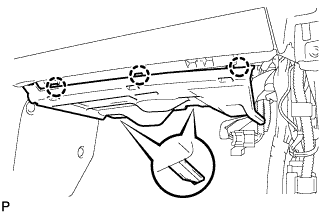
Engage the 3 claws and install the instrument panel No.2 under cover sub-assembly.
| 4. INSTALL COWL SIDE TRIM SUB-ASSEMBLY RH |
- HINT:
- Use the same procedures for the RH side and the LH side.
| 5. INSTALL FRONT DOOR SCUFF PLATE RH |
Connect the connector. (w/ illumination scuff plate)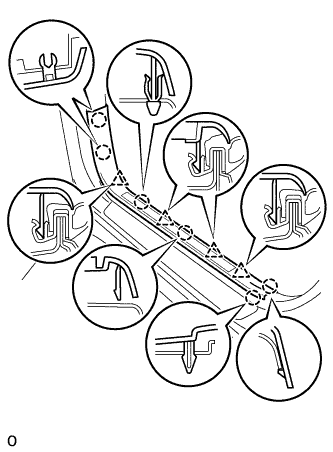
Engage the 6 claws and 4 clips, and install the front door scuff plate.
| 6. CONNECT CABLE TO NEGATIVE BATTERY TERMINAL |
| 7. PERFORM INITIALIZATION |
- NOTICE:
- Some systems need initialization when disconnecting the cable from the negative battery terminal. (Click here)