DTC CHECK / CLEAR
Troubleshooting
| CHECK DTC |
Connect the intelligent tester to the DLC3.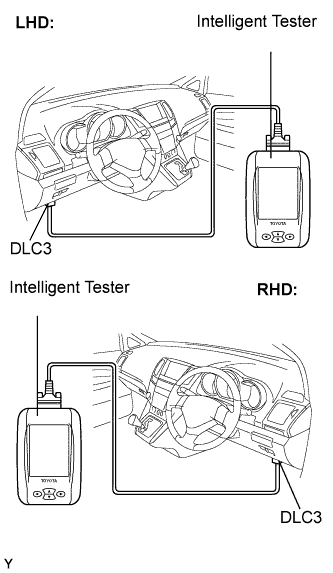

Turn the ignition switch to the ON position.
Turn the intelligent tester on.
Using the intelligent tester, check the DTCs and freeze frame data and then write them down. For the intelligent tester, enter the following menus:
Powertrain / Hybrid Control / DTC.Confirm the details of the DTCs (Click here).
| CHECK FREEZE FRAME DATA |
If a DTC is present, select that DTC in order to display its freeze frame data.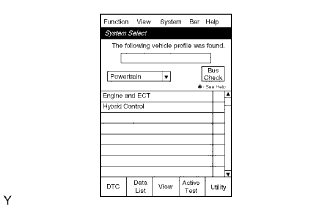
Read freeze frame data recorded when the DTC was set.
| CHECK DTC (SYSTEMS OTHER THAN HV BATTERY) |
Connect the intelligent tester to the DLC3.
Turn the ignition switch to the ON position.
Turn the intelligent tester on.
For the intelligent tester, enter the following menus:
Powertrain / Hybrid Control / DTC (All).If DTCs are output, check the relevant system.
| CLEAR DTC |
Connect the intelligent tester to the DLC3.
Turn the ignition switch to the ON position.
Turn the intelligent tester on.
Check that the shift position is in the P position.
Clear DTCs and freeze frame data with the intelligent tester.
For the intelligent tester:Enter the following menus: Powertrain / Hybrid Control / DTC / Clear.
Press YES.