Previous Next

WITH A SCAN TOOL

The procedure listed below is to be used only as a guide, when using Mitsubishi's MUT-II, or equivalent scan tool. For specific operating instructions, follow the directions supplied with the particular scan tool being used.

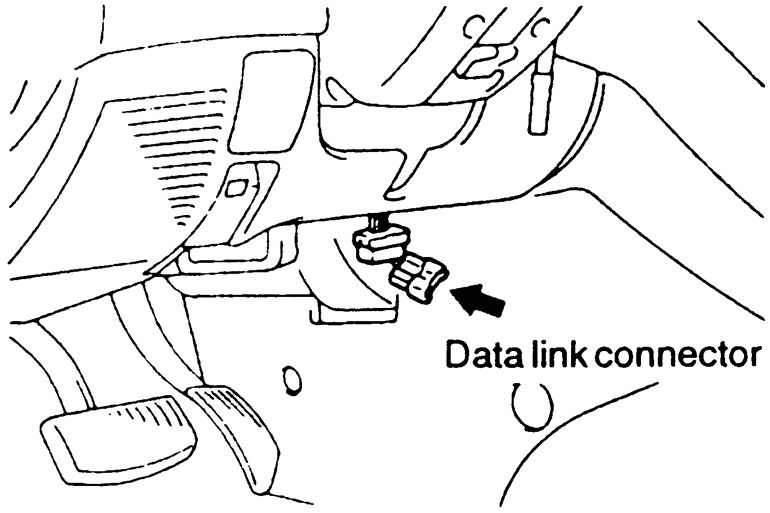
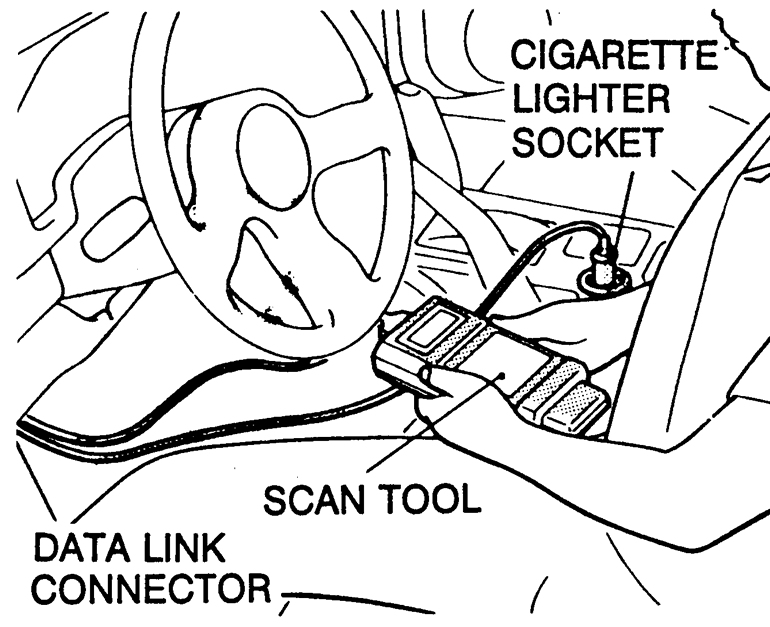
  1. Remove the underdash cover, if equipped. Attach the scan tool to the data link connector, located on the left underside of the instrument panel.

    Fig. 1: The data link connector is located on the left under side of the instrument panel

    Fig. 2: Proper connection of the scan tool to read codes on OBD-I vehicles

  2. Using the scan tool, read and record the on-board diagnostic output.
  3. Diagnose and repair the faulty components as required.
  4. Turn the ignition switch OFF and then turn it ON.
  5. Erase the diagnostic trouble code.
  6. Recheck the diagnostic trouble code and make sure that the normal code is output.

Previous Next