DISPLAY UNIT
BOSE AUDIO WITH NAVIGATION
Exploded View
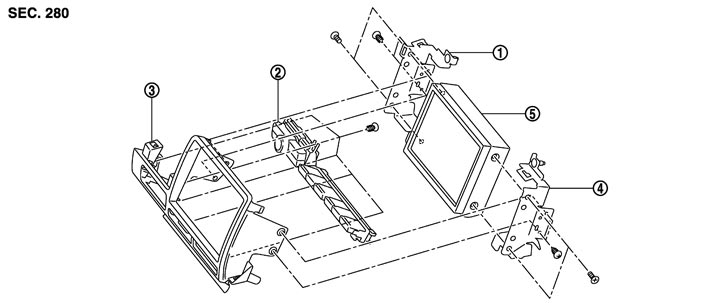
Removal and Installation
 REMOVAL
- 1.Remove the instrument panel pad A. Refer to Removal and Installation.
- 2.Disconnect the connector, and then remove the display together with the bracket and the cluster lid C (upper).
- 3.Remove the display together with the bracket from the cluster lid C (upper).
- 4.Remove the bracket from the display.
INSTALLATIONInstall in the reverse order of removal.