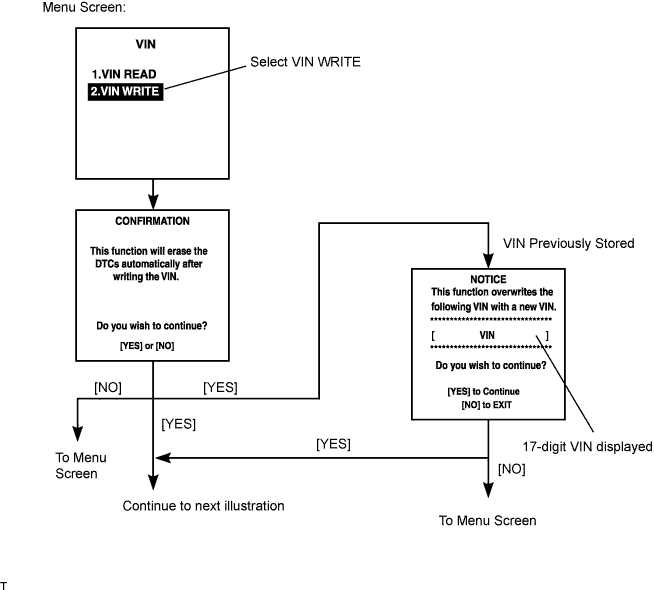
Enter the following menus: DIAGNOSIS / ENHANCED OBD ll / VIN.
SFI SYSTEM > REGISTRATION |
| 1. DESCRIPTION |
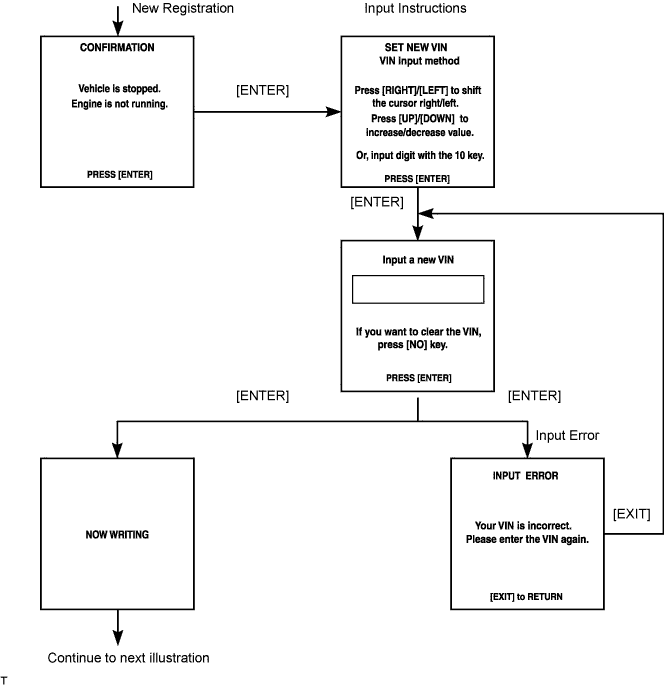
Input Instructions: Explains the general VIN input instructions using an intelligent tester.
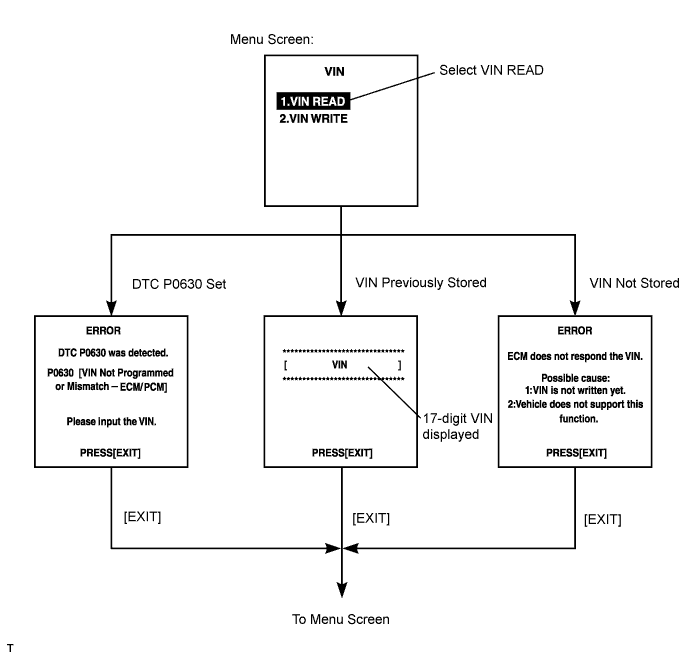
Read VIN: Explains the VIN reading process in a flowchart. This process allows the VIN stored in the ECM to be read, in order to confirm that the two VINs, provided with the vehicle and stored in the vehicle's ECM, are the same.
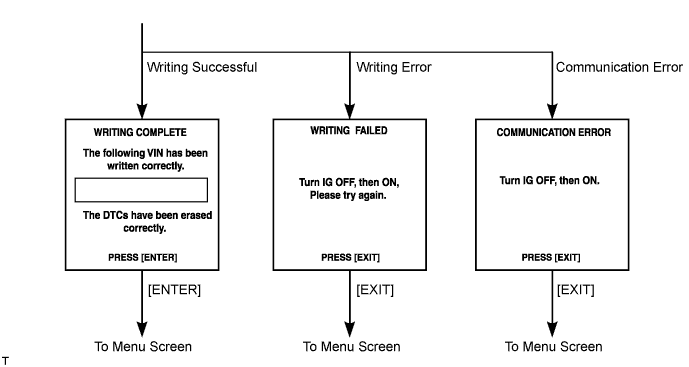
Write VIN: Explains the VIN writing process in a flowchart. This process allows the VIN to be input into the ECM. If the ECM is changed, or the VIN and VIN do not match, the VIN can be registered, or overwritten in the ECM by following this procedure.
| 2. INPUT INSTRUCTIONS |
General
Cursor Operation
Alphabetical Character Input
Press the UP and DOWN buttons to select the desired alphabetical character.
After selection, the cursor should move.
Numeric Character Input
Press the numerical button corresponding to the number that you want to input.
After input, the cursor should move.
Correction
When correcting the input character(s), put the cursor onto the character using the RIGHT or LEFT button.
Select or input the correct character using the UP/DOWN buttons, or the numerical buttons.
Finishing Input Operation
Make sure that the input VIN matches the vehicle VIN after input.
Press the ENTER button on the tester.
| 3. READ VIN (Vehicle Identification Number) |
Read VIN using the intelligent tester.
Check the vehicle's VIN.
Connect the intelligent tester to the DLC3.
Turn the ignition switch ON.
Turn the tester ON.
Enter the following menus: DIAGNOSIS / ENHANCED OBD ll / VIN.
| 4. WRITE VIN |
Write VIN using the intelligent tester.
Connect the intelligent tester to the DLC3.
Turn the ignition switch ON.
Turn the tester ON.
Enter the following menus: DIAGNOSIS / ENHANCED OBD ll / VIN.