Connect the intelligent tester to the DLC3.
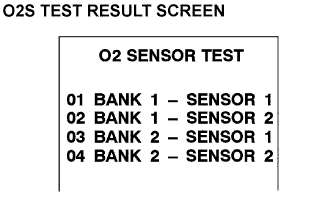 |
On the tester screen, select the following menus: DIAGNOSIS/CARB OBDII/O2S TEST RESULT. A list of the O2S equipped on the vehicle will be displayed.
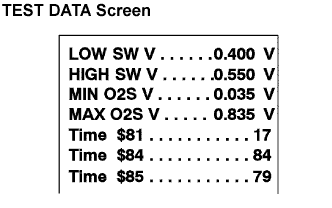 |
Select the desired O2S and press ENTER. The following screen will appear.
Press HELP and * simultaneously. More information will appear.
Example:
The intelligent tester displays "17" as a value of the "TIME $81" (Procedure "A") (see the illustration).
Find the Conversion Factor value of "TIME $81" in the O2S TEST RESULT chart below. 0.3906 is specified for $81 in this chart (Procedure "B").
Multiply "17" in procedure "A" by 0.3906 (Conversion Factor) in the procedure "B".
17 x 0.3906 = 6.6 %If the answer is within the standard value, the "TIME $81" can be confirmed to be normal.
O2S TEST RESULT Chart TEST ID Description of TEST DATA Conversion Factor Unit Standard Value $81 Percentage of monitoring time when the HO2S voltage is less than 0.05V Multiply 0.3906 % Within 60 %