WIRELESS DOOR LOCK CONTROL SYSTEM (w/o Smart Key System) > REGISTRATION |
| 1. DESCRIPTION OF CODE REGISTRATION |
| 2. REGISTER RECOGNITION CODE (USING TECHSTREAM) |
Turn the ignition switch to ON.
Enter the following menus: Body Electrical / Main Body / Utility / Wireless Code Registration.
Press both the lock and unlock switches at the same time for 1 to 1.5 seconds.
Press either switch for more than 1 second within 3 seconds.
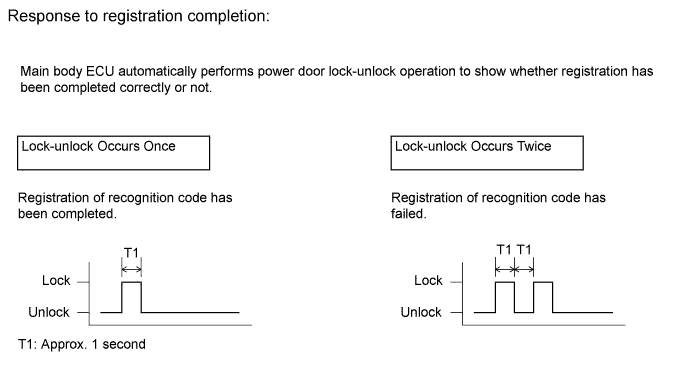
Check the response to the registration completion.
Perform either of the following to complete the registration of the recognition codes:
| 3. REGISTER RECOGNITION CODE (USING SWITCH OPERATION) |
Make sure the following conditions are met.
Insert and remove the key into/from the ignition key cylinder twice (Insert → Remove → Insert → Remove) within 5 seconds.
Perform the following operations within 40 seconds.
Close and open the driver side door twice (Close → Open → Close → Open).
Insert and remove the key into/from the ignition key cylinder (Insert → Remove).
Close and open the driver side door twice (Close → Open → Close → Open).
Insert the key into the ignition key cylinder and close all the doors.
Perform the following operations within 40 seconds.
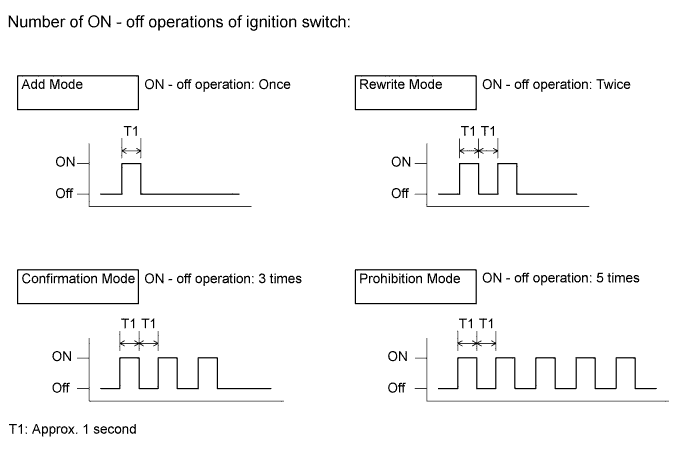
Turn the ignition switch to ON and then off at approximately 1 second intervals. Operate the ignition switch according to the number of times shown below.

Remove the key from the ignition key cylinder.
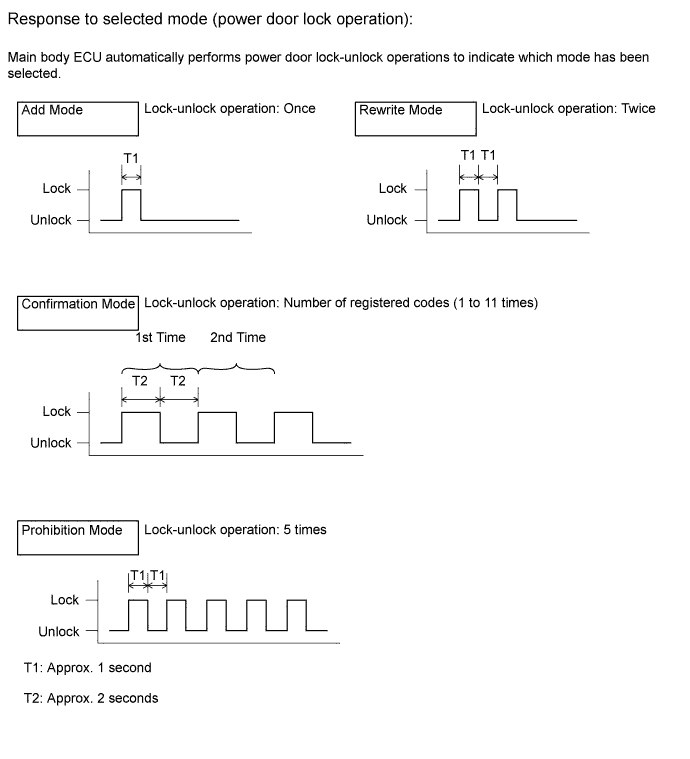
Check that the response begins within 5 seconds after completing the above step, and that the response matches the selected mode.

If add mode or rewrite mode is selected, perform the following procedures.
Press a single switch (lock or unlock) within 5 seconds.
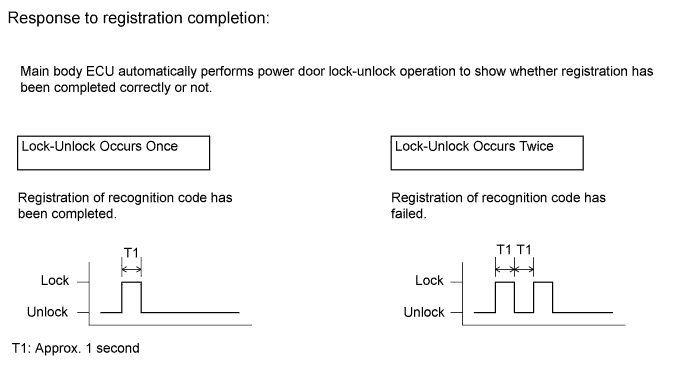
Check that the response begins within 3 seconds after completing the above step, and that the response indicates that registration has been completed correctly.

Perform either of the following to complete the registration of the recognition codes: