 |
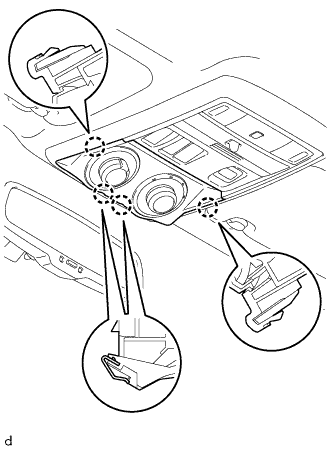
Detach the 4 claws and remove the drive monitor switch (CRAWL control switch and multi-terrain select switch) from the map light assembly.
TRACTION OFF SWITCH > REMOVAL |
| 1. REMOVE DRIVE MONITOR SWITCH |
|
Detach the 4 claws and remove the drive monitor switch (CRAWL control switch and multi-terrain select switch) from the map light assembly.
Disconnect the connector.
| 2. REMOVE MAP LIGHT ASSEMBLY |
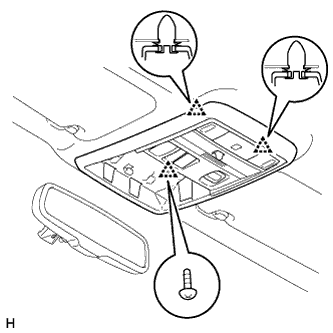 |
Remove the screws.
Detach the 2 clips and remove the map light assembly.
| 3. REMOVE TRACTION CONTROL SWITCH (A-TRAC SWITCH) |
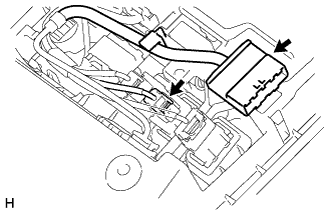 |
Disconnect the 2 connectors.
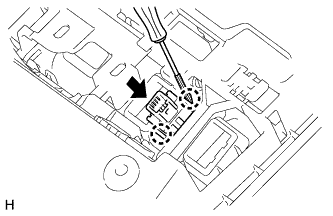 |
Using a screwdriver, detach the 2 claws and remove the traction control switch (A-TRAC switch) from the map light assembly.