METER / GAUGE SYSTEM > DETAILS


FUNCTION
  1. Buzzer Function

    1. The table below shows the warning and reminder functions of the buzzer in the combination meter assembly.

      1
      Front Seat Belt Warning
      2
      EPS Warning
      3
      Entry and Start System Warning*1
      4
      Key Reminder*2
      5
      Engine Immobiliser Matching Completion Report*1
      6
      Speed Limiter Warning*3
      7
      Shift Operation Reject Warning*4
      8
      Rev/Red Zone Warning*5
      9
      Light Reminder
      -
      -

      1. *1: Models with entry and start system
      2. *2: Models without entry and start system
      3. *3: Models for G.C.C. countries
      4. *4: Models with A/T
      5. *5: Models with rev indicator/red zone indicator
  2. Multi-information Display Function

    Display
    Display Item
    Outline
    Y120434
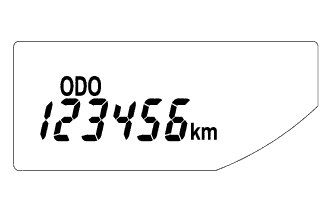
    Odometer Display
    Displays the odometer.
    Y120435
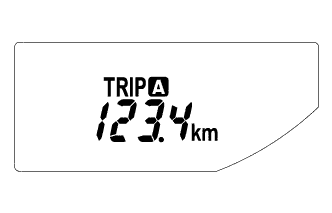
    Trip Meter A Display
    Displays the trip meter A.
    Y120436
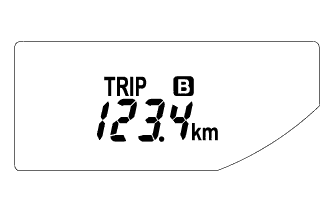
    Trip Meter B Display
    Displays the trip meter B.
    Y120437
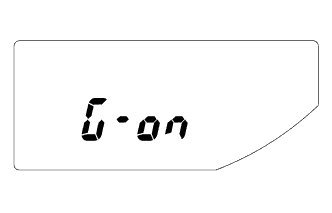
    M/T Shift and Shift-up Indicator Customize Display*1
    (While IG OFF)
    1. Displays whether M/T shift and shift-up indicator display control is off or on.
    2. When the ignition is off and the trip meter B is being displayed, pressing the ODO/TRIP switch quickly changes the display mode to M/T shift and shift-up indicator customize. Holding the ODO/TRIP switch down can toggle it between off and on.
    3. Initial setup is off.
    Y120438
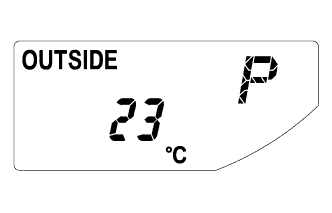
    Outside Temperature Display
    Displays the temperature outside.*2
    Y120439
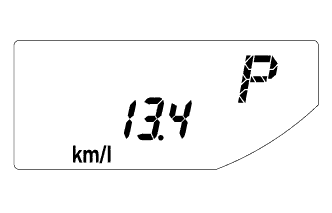
    Instant Fuel Consumption Display
    1. Displays the value that has been calculated by the combination meter assembly, which is based on the distance driven and the fuel consumption volume.
    2. The display updates constantly.
    Y120440
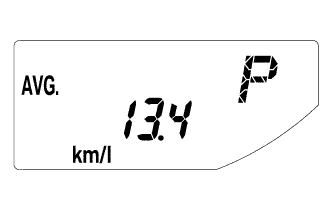
    Average Fuel Consumption After Refueling Display
    1. Displays the value that has been calculated by the combination meter assembly, which is based on the distance driven after reset and the fuel consumption.
    2. Holding down the DISP switch will reset the fuel consumption meter.
    3. The display updates every 10 seconds.
    Y120441
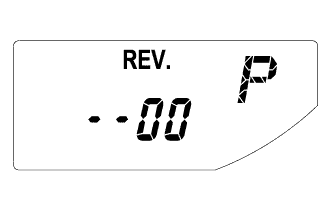
    Rev Indicator/Red Zone Indicator Customize Display*3
    (While a Vehicle Stop)
    1. Displays the starting engine revolution count for Rev indicator light-up.
    2. While rev indicator/red zone indicator customize is indicated, holding down the DISP switch changes it to setup mode. The starting engine revolution count for Rev indicator light-up (2000 to 7400 revolutions) and rev/red zone buzzer on/off can be set.
    3. When setting the Rev indicator, the Rev indicator will light up and the tachometer will display the set engine revolution count for one second with the ignition on.
    4. The initial setup is the function off state.

    1. *1: Models with M/T
    2. *2: The indication of the outside temperature is influenced by vehicle speed, and the indication during a stop (low vehicle speed) is not updated, but is not abnormal.
    3. *3: Models with rev indicator/red zone indicator

OPERATION


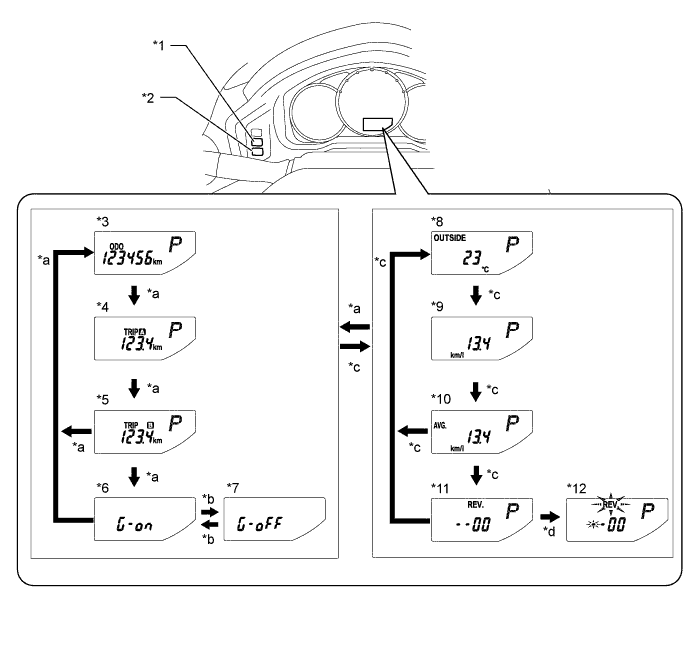
  1. Switching the Multi-information Display


    1. The multi-information display changes in the order shown below by pressing the ODO/TRIP switch or DISP switch.


      Y120443E01


      Text in Illustration 
      *1
      ODO/TRIP Switch
      *2
      DISP Switch
      *3
      Odometer Display
      *4
      Trip Meter A Display
      *5
      Trip Meter B Display
      *6
      M/T Shift and Shift-up Indicator Customize Display: G-On (Models with M/T) (While IG OFF)
      *7
      M/T Shift and Shift-up Indicator Customize Display: G- Off (Models with M/T) (While IG OFF)
      *8
      Outside Temperature Display
      *9
      Instant Fuel Consumption Display
      *10
      Average Fuel Consumption After Refueling Display
      *11
      Rev Indicator/Red Zone Indicator Customize Display (Models with Rev Indicator/Red Zone Indicator) (While a Vehicle Stop)
      *12
      Rev Indicator/Red Zone Indicator Customize Display Setup Mode (Models with Rev Indicator/Red Zone Indicator) (While a Vehicle Stop)
      *a
      ODO/TRIP switch short press
      *b
      ODO/TRIP switch long press
      *c
      DISP switch short press
      *d
      DISP switch long press


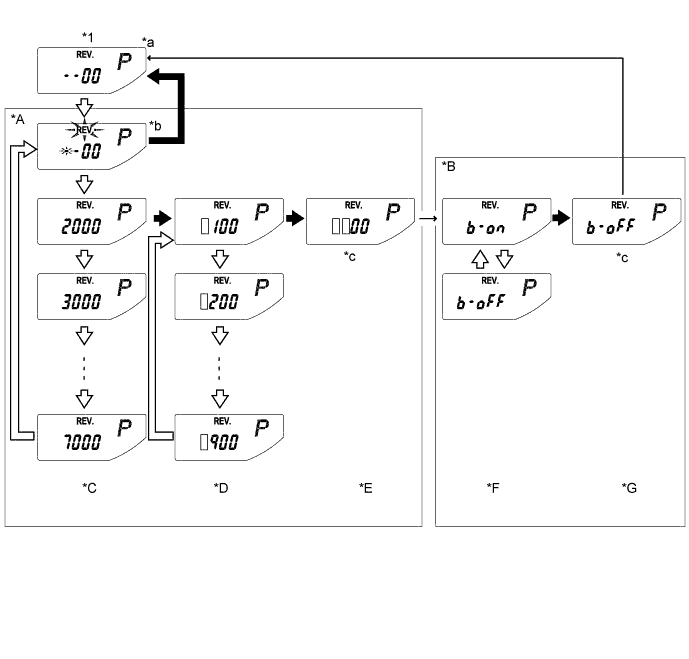
  2. Rev Indicator/Red Zone Indicator Customize Setup Mode Display

    1. The starting engine revolution count for Rev indicator light-up (2000 to 7400 revolutions) and rev/red zone buzzer on/off can be set.


    2. When average fuel consumption is indicated while the vehicle is stopped, pressing the DISP switch quickly displays the rev indicator/red zone indicator customize mode. Holding down the DISP switch changes it to setup mode.


      Y120445E01


      *A
      Rev Indicator Revolution Count Setup Mode
      *B
      Rev/Red Zone Buzzer On/Off Setup Mode
      *C
      Thousands-Digit Setup Screen
      *D
      Hundreds-Digit Setup Screen
      *E
      Revolution Count Confirmation Screen
      *F
      Buzzer On/Off Setup Screen
      *G
      Buzzer Setup Confirmation Screen
      -
      -
      *1
      Rev Indicator/Red Zone Indicator Customize Display
      -
      -
      *a
      Initial display. Displays previous revolution setting if a previous setting value exists.
      *b
      "REV." and setable area blink during setup mode.
      *c
      Switch input invalid (One second indication)
      -
      -
      V100135
      DISP switch short press
      V100136
      DISP switch long press
      →
      Automatic transition
      []
      Setting value