METER / GAUGE / DISPLAY METER / GAUGE SYSTEM CONTROL COMBINATION METER
FUNCTION
Buzzer Function
The table below shows the buzzer in the combination meter assembly:
| Item |
|---|
|
*1: Models for automatic transmission *2: Models with speed warning function *3: Models with key reminder function |
·
Light Reminder ·
A/T Reverse*1 ·
Seat Belt Warning ·
Parking Brake Engaged Warning ·
Brake Fluid Low Warning ·
EPS Warning ·
Immobiliser Certification Reminder ·
Speed Warning*2 ·
Key Reminder*3 |
Multi-information Display Function
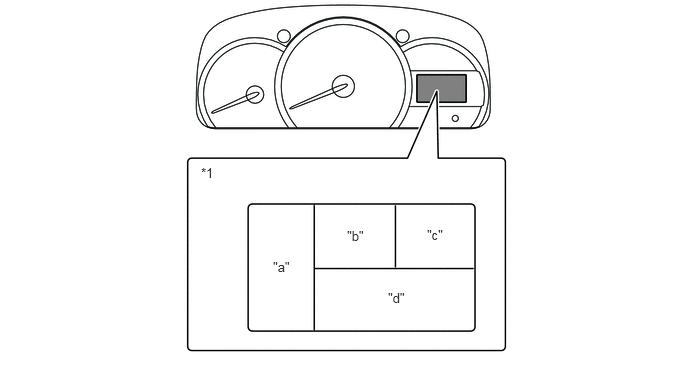
| *1 | Multi-information Display | - | - |
| Display Area | Display | Display Item | Outline |
|---|---|---|---|
|
*1: Models for automatic transmission *2: The illustrations shown are examples only. *3: Models with cruise information function *4: Models with eco driving information function *5: Models without cruise information function |
|||
| "a" | 
|
Fuel Gauge Display | Displays the remaining fuel amount. |
| "b" | 
|
Clock Display | The clock is always displayed. |
| "c" | 
|
Shift Position Indicator*1 | Displays shift position P, R, N, D, 3, 2 or L of the A/T. |
| "d" | 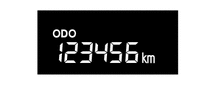
|
Odometer Display | Displays the odometer. |
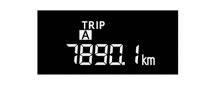
|
Trip Meter A Display*2 | Displays the trip meter A. | |
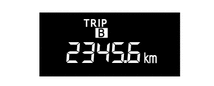
|
Trip Meter B Display*2 | Displays the trip meter B. | |
|
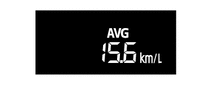
Average Fuel Consumption Display*3 | ·
Displays the value that has been calculated by the combination meter assembly, which is based on the distance driven and the fuel consumption after the fuel consumption is reseted. ·
The combination meter assembly resets the value when press the ODO/TRIP DISP switch over 0.8 seconds. ·
This display is updated every 10 seconds. |
|

|
Drivable Distance Display*3 | ·
Displays the value that has been calculated by the combination meter assembly, which is based on the fuel consumption, the distance driven and the signal from the fuel sender gauge. |
|

|
Eco Driving Indicator Light Setting Display*4 | ·
Displays the setting of Eco Driving Indicator Light. ·
Pressing the ODO/TRIP DISP switch*3 or ODO/TRIP switch*5 for 0.8 seconds or more changes the eco driving indicator light setting. |
|
OPERATION
Switching the Multi-information Display
The multi-information display changes in the order shown below by pressing the switch.
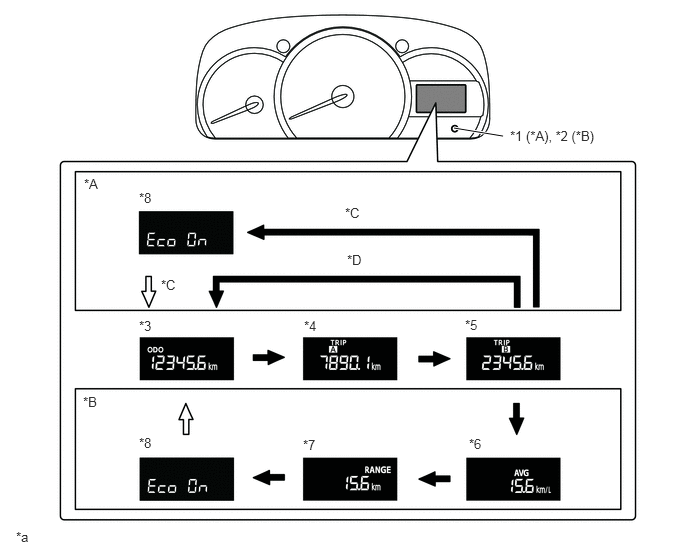
| *A | Models without Cruise Information Function | *B | Models with Cruise Information Function |
| *C | Models with Eco Driving Information Function | *D | Models without Eco Driving Information Function |
| *1 | ODO/TRIP Switch | *2 | ODO/TRIP DISP Switch |
| *3 | Odometer Display | *4 | Trip Meter A Display |
| *5 | Trip Meter B Display | *6 | Average Fuel Consumption Display |
| *7 | Drivable Distance Display | *8 | Eco Driving Indicator Light Setting Display |
| *a | The illustrations shown are examples only. | - | - |

|
ODO/TRIP DISP switch*1 or ODO/TRIP switch*2 is pushed for less than 0.8 seconds | 
|
·
ODO/TRIP DISP switch*1 or ODO/TRIP switch*2 is pushed for less than 0.8 seconds ·
ODO/TRIP DISP switch*1 or ODO/TRIP switch*2 is not pushed for more than 10 seconds |
*1: Models with cruise information function
*2: Models without cruise information function